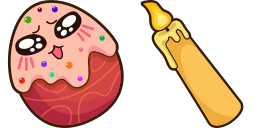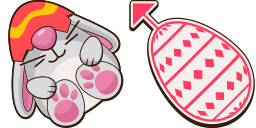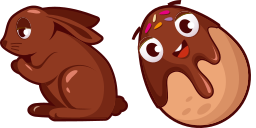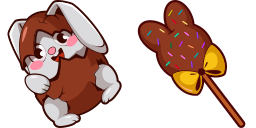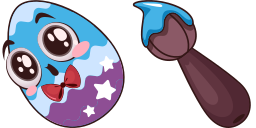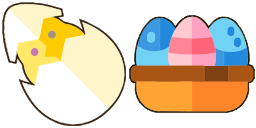
カーソルプレビュー: Easter egg - 1 - cute-cursor.com

カーソルパック

Easter egg

Easter143回追加されました

Easter egg cursor pack for Chrome - festive themed default pointer and seasonal hand hover. Holiday fan art pack.

拡張機能に追加

The Basic Cursors Cursor Collection recently launched a new Easter egg cursor for browsers. This cursor features a colorful Easter egg design, complete with fun patterns and a bright pastel color palette. Users can easily download and install this cursor onto their browser to add a festive touch to their web browsing experience. This cursor is a playful and cheerful addition to the wide range of cursors offered by the Basic Cursors Cursor Collection, making it a great choice for those looking to add some flair and personality to their computer.

カーソルファイル

ファイルをダウンロードするか、正しいホットスポットが設定済みのCSS、JavaScript、React、Robloxコードをそのままコピーしてご利用いただけます。

カーソル - 1 - cute-cursor.com

カーソル

ファイルをダウンロードするか、ウェブサイト、React、JavaScript、Roblox用の埋め込みコードをコピーしてください。

このCSSをスタイルシートに貼り付けてください。ホットスポットの座標は既に含まれています。

.custom-cursor {
  cursor: url('https://cute-cursor.com/cdn/packs/10144/arrow.png') 6 4, auto;
}

このJavaScriptを貼り付けると、正しいホットスポットでカーソルが適用されます。

const CURSOR_URL = 'https://cute-cursor.com/cdn/packs/10144/arrow.png';
const HOTSPOT_X = 6;
const HOTSPOT_Y = 4;
const CURSOR_FALLBACK = 'auto';

const cursorValue = `url('${CURSOR_URL}') ${HOTSPOT_X} ${HOTSPOT_Y}, ${CURSOR_FALLBACK}`;

// Apply to the whole page
document.body.style.cursor = cursorValue;

// Or apply to a specific element
// const target = document.querySelector('.my-element');
// if (target) target.style.cursor = cursorValue;

このReactコンポーネントをコピーし、コンテンツをその中にラップしてください。

import React from 'react';

const CURSOR_URL = 'https://cute-cursor.com/cdn/packs/10144/arrow.png';
const HOTSPOT_X = 6;
const HOTSPOT_Y = 4;
const CURSOR_FALLBACK = 'auto';

export default function CustomCursor({ children, className = '', as: Tag = 'div', style = {}, ...props }) {
  const cursorStyle = {
    cursor: `url('${CURSOR_URL}') ${HOTSPOT_X} ${HOTSPOT_Y}, ${CURSOR_FALLBACK}`,
    ...style,
  };

  return (
    <Tag className={className} style={cursorStyle} {...props}>
      {children}
    </Tag>
  );
}

// Usage:
// <CustomCursor>Your content</CustomCursor>

画像をRobloxにアップロードし、YOUR_ASSET_IDを置き換えてから、このLocalScriptを貼り付けてください。

-- Roblox custom cursor
-- Image URL: https://cute-cursor.com/cdn/packs/10144/arrow.png
-- Hotspot: 6, 4
-- Size: 128x128
-- 1. Upload the image to Roblox and copy rbxassetid
-- 2. Replace YOUR_ASSET_ID below
-- 3. Put this LocalScript in StarterPlayer > StarterPlayerScripts

local UserInputService = game:GetService("UserInputService")
local RunService = game:GetService("RunService")
local Players = game:GetService("Players")

local player = Players.LocalPlayer
local playerGui = player:WaitForChild("PlayerGui")

local HOTSPOT_X = 6
local HOTSPOT_Y = 4
local CURSOR_WIDTH = 128
local CURSOR_HEIGHT = 128

local screenGui = Instance.new("ScreenGui")
screenGui.Name = "CustomCursorGui"
screenGui.ResetOnSpawn = false
screenGui.IgnoreGuiInset = true
screenGui.DisplayOrder = 999999
screenGui.Parent = playerGui

local cursor = Instance.new("ImageLabel")
cursor.Name = "CustomCursor"
cursor.BackgroundTransparency = 1
cursor.Size = UDim2.fromOffset(CURSOR_WIDTH, CURSOR_HEIGHT)
cursor.Image = "rbxassetid://YOUR_ASSET_ID"
cursor.ZIndex = 999999
cursor.Parent = screenGui

UserInputService.MouseIconEnabled = false

RunService.RenderStepped:Connect(function()
    local mouseLocation = UserInputService:GetMouseLocation()
    cursor.Position = UDim2.fromOffset(mouseLocation.X - HOTSPOT_X, mouseLocation.Y - HOTSPOT_Y)
end)
ポインター - 2 - cute-cursor.com

ポインター

ファイルをダウンロードするか、ウェブサイト、React、JavaScript、Roblox用の埋め込みコードをコピーしてください。

このCSSをスタイルシートに貼り付けてください。ホットスポットの座標は既に含まれています。

.custom-pointer {
  cursor: url('https://cute-cursor.com/cdn/packs/10144/hand.png') 31 10, pointer;
}

このJavaScriptを貼り付けると、正しいホットスポットでカーソルが適用されます。

const CURSOR_URL = 'https://cute-cursor.com/cdn/packs/10144/hand.png';
const HOTSPOT_X = 31;
const HOTSPOT_Y = 10;
const CURSOR_FALLBACK = 'pointer';

const cursorValue = `url('${CURSOR_URL}') ${HOTSPOT_X} ${HOTSPOT_Y}, ${CURSOR_FALLBACK}`;

// Apply to the whole page
document.body.style.cursor = cursorValue;

// Or apply to a specific element
// const target = document.querySelector('.my-element');
// if (target) target.style.cursor = cursorValue;

このReactコンポーネントをコピーし、コンテンツをその中にラップしてください。

import React from 'react';

const CURSOR_URL = 'https://cute-cursor.com/cdn/packs/10144/hand.png';
const HOTSPOT_X = 31;
const HOTSPOT_Y = 10;
const CURSOR_FALLBACK = 'pointer';

export default function CustomPointer({ children, className = '', as: Tag = 'div', style = {}, ...props }) {
  const cursorStyle = {
    cursor: `url('${CURSOR_URL}') ${HOTSPOT_X} ${HOTSPOT_Y}, ${CURSOR_FALLBACK}`,
    ...style,
  };

  return (
    <Tag className={className} style={cursorStyle} {...props}>
      {children}
    </Tag>
  );
}

// Usage:
// <CustomPointer>Your content</CustomPointer>

画像をRobloxにアップロードし、YOUR_ASSET_IDを置き換えてから、このLocalScriptを貼り付けてください。

-- Roblox custom cursor
-- Image URL: https://cute-cursor.com/cdn/packs/10144/hand.png
-- Hotspot: 31, 10
-- Size: 128x128
-- 1. Upload the image to Roblox and copy rbxassetid
-- 2. Replace YOUR_ASSET_ID below
-- 3. Put this LocalScript in StarterPlayer > StarterPlayerScripts

local UserInputService = game:GetService("UserInputService")
local RunService = game:GetService("RunService")
local Players = game:GetService("Players")

local player = Players.LocalPlayer
local playerGui = player:WaitForChild("PlayerGui")

local HOTSPOT_X = 31
local HOTSPOT_Y = 10
local CURSOR_WIDTH = 128
local CURSOR_HEIGHT = 128

local screenGui = Instance.new("ScreenGui")
screenGui.Name = "CustomCursorGui"
screenGui.ResetOnSpawn = false
screenGui.IgnoreGuiInset = true
screenGui.DisplayOrder = 999999
screenGui.Parent = playerGui

local cursor = Instance.new("ImageLabel")
cursor.Name = "CustomCursor"
cursor.BackgroundTransparency = 1
cursor.Size = UDim2.fromOffset(CURSOR_WIDTH, CURSOR_HEIGHT)
cursor.Image = "rbxassetid://YOUR_ASSET_ID"
cursor.ZIndex = 999999
cursor.Parent = screenGui

UserInputService.MouseIconEnabled = false

RunService.RenderStepped:Connect(function()
    local mouseLocation = UserInputService:GetMouseLocation()
    cursor.Position = UDim2.fromOffset(mouseLocation.X - HOTSPOT_X, mouseLocation.Y - HOTSPOT_Y)
end)
100%無料

カーソルチェンジャー拡張機能を入手

Chrome用に無料でご利用いただけます。一度インストールしたら、お好きなカーソルの「追加」をクリックしてください。

Chromeにインストール