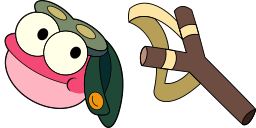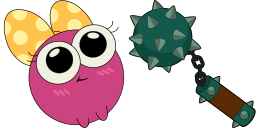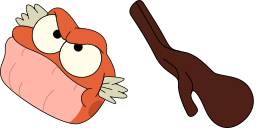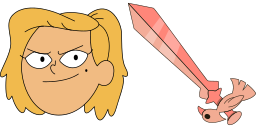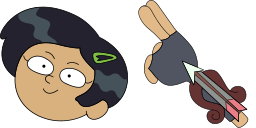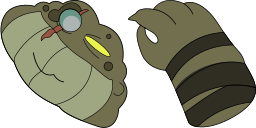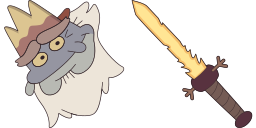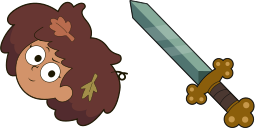
Pré-visualização do cursor: Anne Boonchuy - 1 - cute-cursor.com

Pacote de cursor

Anne Boonchuy

AmphibiaAdicionado 24 vezes

Anne Boonchuy cursor for Chrome - cartoon character pointer with animated hover hand. Cartoon fan art pack.

Adicionar à Extensão

Meet a custom cursor with Anne Boonchuy, the main character of the Amphibian series, who was pulled into another world with the help of a magic box. Custom cursor with Anne Boonchuy is a good opportunity to change the usual mouse to the fans cursors from Cartoons custom cursors collection for Chrome.
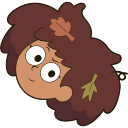
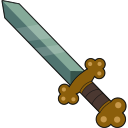
Arquivos do cursor

Baixe o arquivo ou copie o código CSS, JavaScript, React e Roblox pronto para usar, com o hotspot correto.

Cursor - 1 - cute-cursor.com

Cursor

Baixe o arquivo ou copie o código de incorporação para o seu site, React, JavaScript ou Roblox.

Cole este CSS na sua folha de estilos. As coordenadas do hotspot já estão incluídas.

.custom-cursor {
  cursor: url('https://cute-cursor.com/cdn/packs/1014/arrow.png') 66 1, auto;
}

Cole este JavaScript para aplicar o cursor com o hotspot correto.

const CURSOR_URL = 'https://cute-cursor.com/cdn/packs/1014/arrow.png';
const HOTSPOT_X = 66;
const HOTSPOT_Y = 1;
const CURSOR_FALLBACK = 'auto';

const cursorValue = `url('${CURSOR_URL}') ${HOTSPOT_X} ${HOTSPOT_Y}, ${CURSOR_FALLBACK}`;

// Apply to the whole page
document.body.style.cursor = cursorValue;

// Or apply to a specific element
// const target = document.querySelector('.my-element');
// if (target) target.style.cursor = cursorValue;

Copie este componente React e envolva seu conteúdo com ele.

import React from 'react';

const CURSOR_URL = 'https://cute-cursor.com/cdn/packs/1014/arrow.png';
const HOTSPOT_X = 66;
const HOTSPOT_Y = 1;
const CURSOR_FALLBACK = 'auto';

export default function CustomCursor({ children, className = '', as: Tag = 'div', style = {}, ...props }) {
  const cursorStyle = {
    cursor: `url('${CURSOR_URL}') ${HOTSPOT_X} ${HOTSPOT_Y}, ${CURSOR_FALLBACK}`,
    ...style,
  };

  return (
    <Tag className={className} style={cursorStyle} {...props}>
      {children}
    </Tag>
  );
}

// Usage:
// <CustomCursor>Your content</CustomCursor>

Envie a imagem para o Roblox, substitua YOUR_ASSET_ID e cole este LocalScript.

-- Roblox custom cursor
-- Image URL: https://cute-cursor.com/cdn/packs/1014/arrow.png
-- Hotspot: 66, 1
-- Size: 128x128
-- 1. Upload the image to Roblox and copy rbxassetid
-- 2. Replace YOUR_ASSET_ID below
-- 3. Put this LocalScript in StarterPlayer > StarterPlayerScripts

local UserInputService = game:GetService("UserInputService")
local RunService = game:GetService("RunService")
local Players = game:GetService("Players")

local player = Players.LocalPlayer
local playerGui = player:WaitForChild("PlayerGui")

local HOTSPOT_X = 66
local HOTSPOT_Y = 1
local CURSOR_WIDTH = 128
local CURSOR_HEIGHT = 128

local screenGui = Instance.new("ScreenGui")
screenGui.Name = "CustomCursorGui"
screenGui.ResetOnSpawn = false
screenGui.IgnoreGuiInset = true
screenGui.DisplayOrder = 999999
screenGui.Parent = playerGui

local cursor = Instance.new("ImageLabel")
cursor.Name = "CustomCursor"
cursor.BackgroundTransparency = 1
cursor.Size = UDim2.fromOffset(CURSOR_WIDTH, CURSOR_HEIGHT)
cursor.Image = "rbxassetid://YOUR_ASSET_ID"
cursor.ZIndex = 999999
cursor.Parent = screenGui

UserInputService.MouseIconEnabled = false

RunService.RenderStepped:Connect(function()
    local mouseLocation = UserInputService:GetMouseLocation()
    cursor.Position = UDim2.fromOffset(mouseLocation.X - HOTSPOT_X, mouseLocation.Y - HOTSPOT_Y)
end)
Ponteiro - 2 - cute-cursor.com

Ponteiro

Baixe o arquivo ou copie o código de incorporação para o seu site, React, JavaScript ou Roblox.

Cole este CSS na sua folha de estilos. As coordenadas do hotspot já estão incluídas.

.custom-pointer {
  cursor: url('https://cute-cursor.com/cdn/packs/1014/hand.png') 1 0, pointer;
}

Cole este JavaScript para aplicar o cursor com o hotspot correto.

const CURSOR_URL = 'https://cute-cursor.com/cdn/packs/1014/hand.png';
const HOTSPOT_X = 1;
const HOTSPOT_Y = 0;
const CURSOR_FALLBACK = 'pointer';

const cursorValue = `url('${CURSOR_URL}') ${HOTSPOT_X} ${HOTSPOT_Y}, ${CURSOR_FALLBACK}`;

// Apply to the whole page
document.body.style.cursor = cursorValue;

// Or apply to a specific element
// const target = document.querySelector('.my-element');
// if (target) target.style.cursor = cursorValue;

Copie este componente React e envolva seu conteúdo com ele.

import React from 'react';

const CURSOR_URL = 'https://cute-cursor.com/cdn/packs/1014/hand.png';
const HOTSPOT_X = 1;
const HOTSPOT_Y = 0;
const CURSOR_FALLBACK = 'pointer';

export default function CustomPointer({ children, className = '', as: Tag = 'div', style = {}, ...props }) {
  const cursorStyle = {
    cursor: `url('${CURSOR_URL}') ${HOTSPOT_X} ${HOTSPOT_Y}, ${CURSOR_FALLBACK}`,
    ...style,
  };

  return (
    <Tag className={className} style={cursorStyle} {...props}>
      {children}
    </Tag>
  );
}

// Usage:
// <CustomPointer>Your content</CustomPointer>

Envie a imagem para o Roblox, substitua YOUR_ASSET_ID e cole este LocalScript.

-- Roblox custom cursor
-- Image URL: https://cute-cursor.com/cdn/packs/1014/hand.png
-- Hotspot: 1, 0
-- Size: 128x128
-- 1. Upload the image to Roblox and copy rbxassetid
-- 2. Replace YOUR_ASSET_ID below
-- 3. Put this LocalScript in StarterPlayer > StarterPlayerScripts

local UserInputService = game:GetService("UserInputService")
local RunService = game:GetService("RunService")
local Players = game:GetService("Players")

local player = Players.LocalPlayer
local playerGui = player:WaitForChild("PlayerGui")

local HOTSPOT_X = 1
local HOTSPOT_Y = 0
local CURSOR_WIDTH = 128
local CURSOR_HEIGHT = 128

local screenGui = Instance.new("ScreenGui")
screenGui.Name = "CustomCursorGui"
screenGui.ResetOnSpawn = false
screenGui.IgnoreGuiInset = true
screenGui.DisplayOrder = 999999
screenGui.Parent = playerGui

local cursor = Instance.new("ImageLabel")
cursor.Name = "CustomCursor"
cursor.BackgroundTransparency = 1
cursor.Size = UDim2.fromOffset(CURSOR_WIDTH, CURSOR_HEIGHT)
cursor.Image = "rbxassetid://YOUR_ASSET_ID"
cursor.ZIndex = 999999
cursor.Parent = screenGui

UserInputService.MouseIconEnabled = false

RunService.RenderStepped:Connect(function()
    local mouseLocation = UserInputService:GetMouseLocation()
    cursor.Position = UDim2.fromOffset(mouseLocation.X - HOTSPOT_X, mouseLocation.Y - HOTSPOT_Y)
end)
100% Grátis

Obtenha a extensão Cursor Changer

Gratuito para o Chrome. Instale uma vez e depois clique em Adicionar em qualquer cursor que você gostar.

Instalar no Chrome