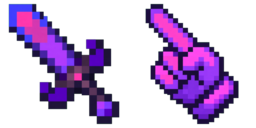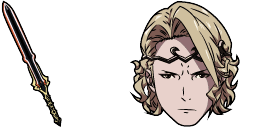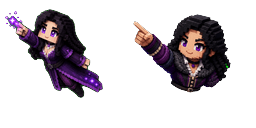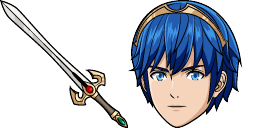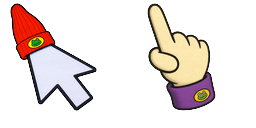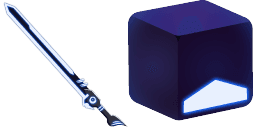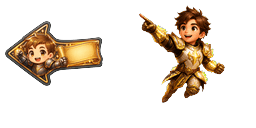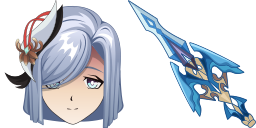
Podgląd kursora: Shenhe - 1 - cute-cursor.com

Paczka kursorów

Shenhe

Genshin ImpactDodano 71 razy

Browse with Shenhe - a Chrome cursor featuring Teyvat hero pointer and elemental hover. Genshin Impact fan art.
Dodaj do rozszerzenia

In Genshin Impact Shen He is a 5-star polearm-wielding Cryo-elemental character. Character weapon as a cursor for the mouse and an irresistible Shenhe pointer will look pretty nice on your screen.

Pliki kursora

Pobierz plik lub skopiuj gotowy do użycia kod CSS, JavaScript, React i Roblox z poprawnym punktem aktywnym.

Kursor - 1 - cute-cursor.com

Kursor

Pobierz plik lub skopiuj kod osadzania dla swojej strony, React, JavaScript lub Roblox.

Wklej ten kod CSS do swojego arkusza stylów. Współrzędne punktu aktywnego są już uwzględnione.

.custom-cursor {
  cursor: url('https://cute-cursor.com/cdn/packs/1069/arrow.png') 55 0, auto;
}

Wklej ten kod JavaScript, aby zastosować kursor z poprawnym punktem aktywnym.

const CURSOR_URL = 'https://cute-cursor.com/cdn/packs/1069/arrow.png';
const HOTSPOT_X = 55;
const HOTSPOT_Y = 0;
const CURSOR_FALLBACK = 'auto';

const cursorValue = `url('${CURSOR_URL}') ${HOTSPOT_X} ${HOTSPOT_Y}, ${CURSOR_FALLBACK}`;

// Apply to the whole page
document.body.style.cursor = cursorValue;

// Or apply to a specific element
// const target = document.querySelector('.my-element');
// if (target) target.style.cursor = cursorValue;

Skopiuj ten komponent React i opakuj nim swoją zawartość.

import React from 'react';

const CURSOR_URL = 'https://cute-cursor.com/cdn/packs/1069/arrow.png';
const HOTSPOT_X = 55;
const HOTSPOT_Y = 0;
const CURSOR_FALLBACK = 'auto';

export default function CustomCursor({ children, className = '', as: Tag = 'div', style = {}, ...props }) {
  const cursorStyle = {
    cursor: `url('${CURSOR_URL}') ${HOTSPOT_X} ${HOTSPOT_Y}, ${CURSOR_FALLBACK}`,
    ...style,
  };

  return (
    <Tag className={className} style={cursorStyle} {...props}>
      {children}
    </Tag>
  );
}

// Usage:
// <CustomCursor>Your content</CustomCursor>

Prześlij obraz do Roblox, zastąp YOUR_ASSET_ID, a następnie wklej ten LocalScript.

-- Roblox custom cursor
-- Image URL: https://cute-cursor.com/cdn/packs/1069/arrow.png
-- Hotspot: 55, 0
-- Size: 128x128
-- 1. Upload the image to Roblox and copy rbxassetid
-- 2. Replace YOUR_ASSET_ID below
-- 3. Put this LocalScript in StarterPlayer > StarterPlayerScripts

local UserInputService = game:GetService("UserInputService")
local RunService = game:GetService("RunService")
local Players = game:GetService("Players")

local player = Players.LocalPlayer
local playerGui = player:WaitForChild("PlayerGui")

local HOTSPOT_X = 55
local HOTSPOT_Y = 0
local CURSOR_WIDTH = 128
local CURSOR_HEIGHT = 128

local screenGui = Instance.new("ScreenGui")
screenGui.Name = "CustomCursorGui"
screenGui.ResetOnSpawn = false
screenGui.IgnoreGuiInset = true
screenGui.DisplayOrder = 999999
screenGui.Parent = playerGui

local cursor = Instance.new("ImageLabel")
cursor.Name = "CustomCursor"
cursor.BackgroundTransparency = 1
cursor.Size = UDim2.fromOffset(CURSOR_WIDTH, CURSOR_HEIGHT)
cursor.Image = "rbxassetid://YOUR_ASSET_ID"
cursor.ZIndex = 999999
cursor.Parent = screenGui

UserInputService.MouseIconEnabled = false

RunService.RenderStepped:Connect(function()
    local mouseLocation = UserInputService:GetMouseLocation()
    cursor.Position = UDim2.fromOffset(mouseLocation.X - HOTSPOT_X, mouseLocation.Y - HOTSPOT_Y)
end)
Wskaźnik - 2 - cute-cursor.com

Wskaźnik

Pobierz plik lub skopiuj kod osadzania dla swojej strony, React, JavaScript lub Roblox.

Wklej ten kod CSS do swojego arkusza stylów. Współrzędne punktu aktywnego są już uwzględnione.

.custom-pointer {
  cursor: url('https://cute-cursor.com/cdn/packs/1069/hand.png') 0 0, pointer;
}

Wklej ten kod JavaScript, aby zastosować kursor z poprawnym punktem aktywnym.

const CURSOR_URL = 'https://cute-cursor.com/cdn/packs/1069/hand.png';
const HOTSPOT_X = 0;
const HOTSPOT_Y = 0;
const CURSOR_FALLBACK = 'pointer';

const cursorValue = `url('${CURSOR_URL}') ${HOTSPOT_X} ${HOTSPOT_Y}, ${CURSOR_FALLBACK}`;

// Apply to the whole page
document.body.style.cursor = cursorValue;

// Or apply to a specific element
// const target = document.querySelector('.my-element');
// if (target) target.style.cursor = cursorValue;

Skopiuj ten komponent React i opakuj nim swoją zawartość.

import React from 'react';

const CURSOR_URL = 'https://cute-cursor.com/cdn/packs/1069/hand.png';
const HOTSPOT_X = 0;
const HOTSPOT_Y = 0;
const CURSOR_FALLBACK = 'pointer';

export default function CustomPointer({ children, className = '', as: Tag = 'div', style = {}, ...props }) {
  const cursorStyle = {
    cursor: `url('${CURSOR_URL}') ${HOTSPOT_X} ${HOTSPOT_Y}, ${CURSOR_FALLBACK}`,
    ...style,
  };

  return (
    <Tag className={className} style={cursorStyle} {...props}>
      {children}
    </Tag>
  );
}

// Usage:
// <CustomPointer>Your content</CustomPointer>

Prześlij obraz do Roblox, zastąp YOUR_ASSET_ID, a następnie wklej ten LocalScript.

-- Roblox custom cursor
-- Image URL: https://cute-cursor.com/cdn/packs/1069/hand.png
-- Hotspot: 0, 0
-- Size: 128x128
-- 1. Upload the image to Roblox and copy rbxassetid
-- 2. Replace YOUR_ASSET_ID below
-- 3. Put this LocalScript in StarterPlayer > StarterPlayerScripts

local UserInputService = game:GetService("UserInputService")
local RunService = game:GetService("RunService")
local Players = game:GetService("Players")

local player = Players.LocalPlayer
local playerGui = player:WaitForChild("PlayerGui")

local HOTSPOT_X = 0
local HOTSPOT_Y = 0
local CURSOR_WIDTH = 128
local CURSOR_HEIGHT = 128

local screenGui = Instance.new("ScreenGui")
screenGui.Name = "CustomCursorGui"
screenGui.ResetOnSpawn = false
screenGui.IgnoreGuiInset = true
screenGui.DisplayOrder = 999999
screenGui.Parent = playerGui

local cursor = Instance.new("ImageLabel")
cursor.Name = "CustomCursor"
cursor.BackgroundTransparency = 1
cursor.Size = UDim2.fromOffset(CURSOR_WIDTH, CURSOR_HEIGHT)
cursor.Image = "rbxassetid://YOUR_ASSET_ID"
cursor.ZIndex = 999999
cursor.Parent = screenGui

UserInputService.MouseIconEnabled = false

RunService.RenderStepped:Connect(function()
    local mouseLocation = UserInputService:GetMouseLocation()
    cursor.Position = UDim2.fromOffset(mouseLocation.X - HOTSPOT_X, mouseLocation.Y - HOTSPOT_Y)
end)
100% za darmo

Pobierz rozszerzenie Cursor Changer

Darmowy dla Chrome. Zainstaluj raz, a następnie kliknij Dodaj przy dowolnym kursorze, który Ci się podoba.

Zainstaluj w Chrome