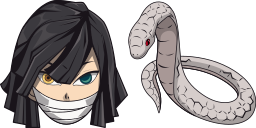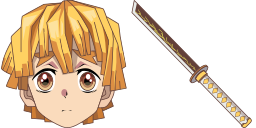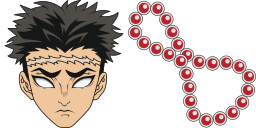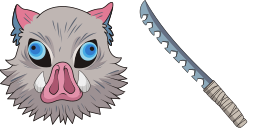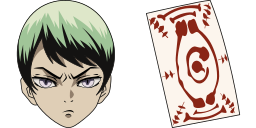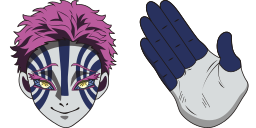
Anteprima cursore: Akaza - 1 - cute-cursor.com

Pack di cursori

Akaza

Demon SlayerAggiunto 1 volte

Akaza cursor pack for Chrome - anime character default pointer and hero hand hover. Anime fan art pack.

Aggiungi all'Estensione

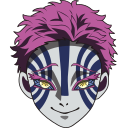
Transform your Chrome browsing experience with the fierce and enigmatic Akaza from Demon Slayer as your custom cursor. This cursor captures the essence of Akaza's demon form, featuring his distinctive red markings and sharp, menacing claws. As you navigate the web, watch as Akaza's intense gaze follows your every move, adding an element of excitement and intrigue to your online adventures.
File del cursore

Scarica il file o copia il codice CSS, JavaScript, React e Roblox pronto all'uso con l'hotspot corretto.

Cursore - 1 - cute-cursor.com

Cursore

Scarica il file o copia il codice di incorporamento per il tuo sito web, React, JavaScript o Roblox.

Incolla questo CSS nel tuo foglio di stile. Le coordinate dell'hotspot sono già incluse.

.custom-cursor {
  cursor: url('https://cute-cursor.com/cdn/packs/141990/arrow.png') 59 0, auto;
}

Incolla questo JavaScript per applicare il cursore con l'hotspot corretto.

const CURSOR_URL = 'https://cute-cursor.com/cdn/packs/141990/arrow.png';
const HOTSPOT_X = 59;
const HOTSPOT_Y = 0;
const CURSOR_FALLBACK = 'auto';

const cursorValue = `url('${CURSOR_URL}') ${HOTSPOT_X} ${HOTSPOT_Y}, ${CURSOR_FALLBACK}`;

// Apply to the whole page
document.body.style.cursor = cursorValue;

// Or apply to a specific element
// const target = document.querySelector('.my-element');
// if (target) target.style.cursor = cursorValue;

Copia questo componente React e avvolgi il tuo contenuto con esso.

import React from 'react';

const CURSOR_URL = 'https://cute-cursor.com/cdn/packs/141990/arrow.png';
const HOTSPOT_X = 59;
const HOTSPOT_Y = 0;
const CURSOR_FALLBACK = 'auto';

export default function CustomCursor({ children, className = '', as: Tag = 'div', style = {}, ...props }) {
  const cursorStyle = {
    cursor: `url('${CURSOR_URL}') ${HOTSPOT_X} ${HOTSPOT_Y}, ${CURSOR_FALLBACK}`,
    ...style,
  };

  return (
    <Tag className={className} style={cursorStyle} {...props}>
      {children}
    </Tag>
  );
}

// Usage:
// <CustomCursor>Your content</CustomCursor>

Carica l'immagine su Roblox, sostituisci YOUR_ASSET_ID, quindi incolla questo LocalScript.

-- Roblox custom cursor
-- Image URL: https://cute-cursor.com/cdn/packs/141990/arrow.png
-- Hotspot: 59, 0
-- Size: 128x128
-- 1. Upload the image to Roblox and copy rbxassetid
-- 2. Replace YOUR_ASSET_ID below
-- 3. Put this LocalScript in StarterPlayer > StarterPlayerScripts

local UserInputService = game:GetService("UserInputService")
local RunService = game:GetService("RunService")
local Players = game:GetService("Players")

local player = Players.LocalPlayer
local playerGui = player:WaitForChild("PlayerGui")

local HOTSPOT_X = 59
local HOTSPOT_Y = 0
local CURSOR_WIDTH = 128
local CURSOR_HEIGHT = 128

local screenGui = Instance.new("ScreenGui")
screenGui.Name = "CustomCursorGui"
screenGui.ResetOnSpawn = false
screenGui.IgnoreGuiInset = true
screenGui.DisplayOrder = 999999
screenGui.Parent = playerGui

local cursor = Instance.new("ImageLabel")
cursor.Name = "CustomCursor"
cursor.BackgroundTransparency = 1
cursor.Size = UDim2.fromOffset(CURSOR_WIDTH, CURSOR_HEIGHT)
cursor.Image = "rbxassetid://YOUR_ASSET_ID"
cursor.ZIndex = 999999
cursor.Parent = screenGui

UserInputService.MouseIconEnabled = false

RunService.RenderStepped:Connect(function()
    local mouseLocation = UserInputService:GetMouseLocation()
    cursor.Position = UDim2.fromOffset(mouseLocation.X - HOTSPOT_X, mouseLocation.Y - HOTSPOT_Y)
end)
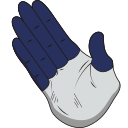
Puntatore - 2 - cute-cursor.com

Puntatore

Scarica il file o copia il codice di incorporamento per il tuo sito web, React, JavaScript o Roblox.

Incolla questo CSS nel tuo foglio di stile. Le coordinate dell'hotspot sono già incluse.

.custom-pointer {
  cursor: url('https://cute-cursor.com/cdn/packs/141990/hand.png') 34 0, pointer;
}

Incolla questo JavaScript per applicare il cursore con l'hotspot corretto.

const CURSOR_URL = 'https://cute-cursor.com/cdn/packs/141990/hand.png';
const HOTSPOT_X = 34;
const HOTSPOT_Y = 0;
const CURSOR_FALLBACK = 'pointer';

const cursorValue = `url('${CURSOR_URL}') ${HOTSPOT_X} ${HOTSPOT_Y}, ${CURSOR_FALLBACK}`;

// Apply to the whole page
document.body.style.cursor = cursorValue;

// Or apply to a specific element
// const target = document.querySelector('.my-element');
// if (target) target.style.cursor = cursorValue;

Copia questo componente React e avvolgi il tuo contenuto con esso.

import React from 'react';

const CURSOR_URL = 'https://cute-cursor.com/cdn/packs/141990/hand.png';
const HOTSPOT_X = 34;
const HOTSPOT_Y = 0;
const CURSOR_FALLBACK = 'pointer';

export default function CustomPointer({ children, className = '', as: Tag = 'div', style = {}, ...props }) {
  const cursorStyle = {
    cursor: `url('${CURSOR_URL}') ${HOTSPOT_X} ${HOTSPOT_Y}, ${CURSOR_FALLBACK}`,
    ...style,
  };

  return (
    <Tag className={className} style={cursorStyle} {...props}>
      {children}
    </Tag>
  );
}

// Usage:
// <CustomPointer>Your content</CustomPointer>

Carica l'immagine su Roblox, sostituisci YOUR_ASSET_ID, quindi incolla questo LocalScript.

-- Roblox custom cursor
-- Image URL: https://cute-cursor.com/cdn/packs/141990/hand.png
-- Hotspot: 34, 0
-- Size: 128x128
-- 1. Upload the image to Roblox and copy rbxassetid
-- 2. Replace YOUR_ASSET_ID below
-- 3. Put this LocalScript in StarterPlayer > StarterPlayerScripts

local UserInputService = game:GetService("UserInputService")
local RunService = game:GetService("RunService")
local Players = game:GetService("Players")

local player = Players.LocalPlayer
local playerGui = player:WaitForChild("PlayerGui")

local HOTSPOT_X = 34
local HOTSPOT_Y = 0
local CURSOR_WIDTH = 128
local CURSOR_HEIGHT = 128

local screenGui = Instance.new("ScreenGui")
screenGui.Name = "CustomCursorGui"
screenGui.ResetOnSpawn = false
screenGui.IgnoreGuiInset = true
screenGui.DisplayOrder = 999999
screenGui.Parent = playerGui

local cursor = Instance.new("ImageLabel")
cursor.Name = "CustomCursor"
cursor.BackgroundTransparency = 1
cursor.Size = UDim2.fromOffset(CURSOR_WIDTH, CURSOR_HEIGHT)
cursor.Image = "rbxassetid://YOUR_ASSET_ID"
cursor.ZIndex = 999999
cursor.Parent = screenGui

UserInputService.MouseIconEnabled = false

RunService.RenderStepped:Connect(function()
    local mouseLocation = UserInputService:GetMouseLocation()
    cursor.Position = UDim2.fromOffset(mouseLocation.X - HOTSPOT_X, mouseLocation.Y - HOTSPOT_Y)
end)
100% Gratis

Ottieni l'estensione Cursor Changer

Gratis per Chrome. Installa una volta, poi clicca su Aggiungi sul cursore che preferisci.

Installa su Chrome