Pack de cursores
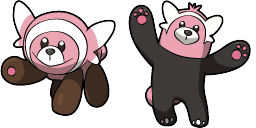
Bear
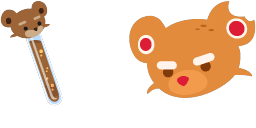
Teddy bear custom cursor for chrome is well-designed in the best cute traditional for out The cutest custom cursors collection for Chrome. Change the simple browser cursor to a sweet teddy bear cursor for mouse and pointer.

Pack de cursores
Teddy bear custom cursor for chrome is well-designed in the best cute traditional for out The cutest custom cursors collection for Chrome. Change the simple browser cursor to a sweet teddy bear cursor for mouse and pointer.
Descarga el archivo o copia CSS y código de Roblox listos con el hotspot correcto.

Descarga el archivo o copia el código para tu web o Roblox.
Pega este CSS en tu hoja de estilos. Las coordenadas del hotspot ya están incluidas.
.custom-cursor {
cursor: url('https://cute-cursor.com/cdn/packs/106/arrow.svg') 0 0, auto;
}Sube la imagen a Roblox, reemplaza YOUR_ASSET_ID y pega este LocalScript.
-- Roblox custom cursor
-- Image URL: https://cute-cursor.com/cdn/packs/106/arrow.svg
-- Hotspot: 0, 0
-- Size: 128x128
-- 1. Upload the image to Roblox and copy rbxassetid
-- 2. Replace YOUR_ASSET_ID below
-- 3. Put this LocalScript in StarterPlayer > StarterPlayerScripts
local UserInputService = game:GetService("UserInputService")
local RunService = game:GetService("RunService")
local Players = game:GetService("Players")
local player = Players.LocalPlayer
local playerGui = player:WaitForChild("PlayerGui")
local HOTSPOT_X = 0
local HOTSPOT_Y = 0
local CURSOR_WIDTH = 128
local CURSOR_HEIGHT = 128
local screenGui = Instance.new("ScreenGui")
screenGui.Name = "CustomCursorGui"
screenGui.ResetOnSpawn = false
screenGui.IgnoreGuiInset = true
screenGui.DisplayOrder = 999999
screenGui.Parent = playerGui
local cursor = Instance.new("ImageLabel")
cursor.Name = "CustomCursor"
cursor.BackgroundTransparency = 1
cursor.Size = UDim2.fromOffset(CURSOR_WIDTH, CURSOR_HEIGHT)
cursor.Image = "rbxassetid://YOUR_ASSET_ID"
cursor.ZIndex = 999999
cursor.Parent = screenGui
UserInputService.MouseIconEnabled = false
RunService.RenderStepped:Connect(function()
local mouseLocation = UserInputService:GetMouseLocation()
cursor.Position = UDim2.fromOffset(mouseLocation.X - HOTSPOT_X, mouseLocation.Y - HOTSPOT_Y)
end)
Descarga el archivo o copia el código para tu web o Roblox.
Pega este CSS en tu hoja de estilos. Las coordenadas del hotspot ya están incluidas.
.custom-pointer {
cursor: url('https://cute-cursor.com/cdn/packs/106/hand.svg') 0 0, pointer;
}Sube la imagen a Roblox, reemplaza YOUR_ASSET_ID y pega este LocalScript.
-- Roblox custom cursor
-- Image URL: https://cute-cursor.com/cdn/packs/106/hand.svg
-- Hotspot: 0, 0
-- Size: 128x128
-- 1. Upload the image to Roblox and copy rbxassetid
-- 2. Replace YOUR_ASSET_ID below
-- 3. Put this LocalScript in StarterPlayer > StarterPlayerScripts
local UserInputService = game:GetService("UserInputService")
local RunService = game:GetService("RunService")
local Players = game:GetService("Players")
local player = Players.LocalPlayer
local playerGui = player:WaitForChild("PlayerGui")
local HOTSPOT_X = 0
local HOTSPOT_Y = 0
local CURSOR_WIDTH = 128
local CURSOR_HEIGHT = 128
local screenGui = Instance.new("ScreenGui")
screenGui.Name = "CustomCursorGui"
screenGui.ResetOnSpawn = false
screenGui.IgnoreGuiInset = true
screenGui.DisplayOrder = 999999
screenGui.Parent = playerGui
local cursor = Instance.new("ImageLabel")
cursor.Name = "CustomCursor"
cursor.BackgroundTransparency = 1
cursor.Size = UDim2.fromOffset(CURSOR_WIDTH, CURSOR_HEIGHT)
cursor.Image = "rbxassetid://YOUR_ASSET_ID"
cursor.ZIndex = 999999
cursor.Parent = screenGui
UserInputService.MouseIconEnabled = false
RunService.RenderStepped:Connect(function()
local mouseLocation = UserInputService:GetMouseLocation()
cursor.Position = UDim2.fromOffset(mouseLocation.X - HOTSPOT_X, mouseLocation.Y - HOTSPOT_Y)
end)Más packs de cursores de la categoría Cute Animals y estilos similares.
7 packs de cursores relacionados
Gratis en Chrome. Instala la extensión y pulsa «Añadir» en cualquier cursor.
Instalar en Chrome¡Instala nuestra extensión gratuita de Chrome para personalizar tu cursor!
¡Añadido correctamente!
Gracias por usar Cursors for Browser

¡Instala nuestra extensión gratuita de Chrome para personalizar tu cursor!

Instalar en ChromeSupport the project. Leave 5 stars and a positive review.
Para usar cursores personalizados, instala una de nuestras extensiones de Chrome:
Pasos de instalación: