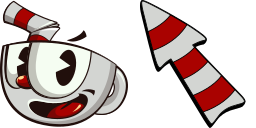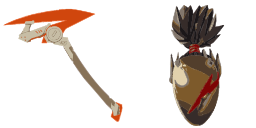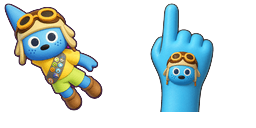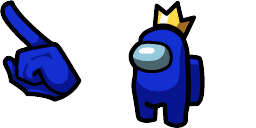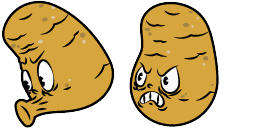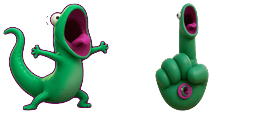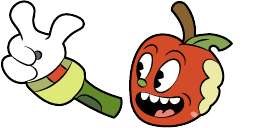
光标预览:Goopy Le Grande - 1 - cute-cursor.com

光标包

Goopy Le Grande

Cuphead已添加 29 次

Goopy Le Grande pointer for Chrome with boss fight hover. Cuphead fan art.


添加到扩展

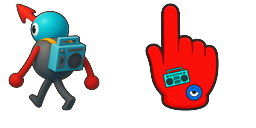
Goopy Le Grande looks like a big blue ball with eyes, and a red nose is able to change its shape, turning into a boxing glove. Goopy cursor for a mouse is a good fan art to decorate your browsing, a boxing glove hover comes together with the custom cursor with Goopy.

光标文件

下载文件,或复制包含正确热点坐标的即用型 CSS、JavaScript、React 和 Roblox 代码。

光标 - 1 - cute-cursor.com

光标

下载文件,或复制适用于你的网站、React、JavaScript 或 Roblox 的嵌入代码。

将此 CSS 粘贴到你的样式表中,已包含热点坐标。

.custom-cursor {
  cursor: url('https://cute-cursor.com/cdn/packs/1111/arrow.png') 76 0, auto;
}

粘贴此 JavaScript 代码,即可应用带有正确热点坐标的光标。

const CURSOR_URL = 'https://cute-cursor.com/cdn/packs/1111/arrow.png';
const HOTSPOT_X = 76;
const HOTSPOT_Y = 0;
const CURSOR_FALLBACK = 'auto';

const cursorValue = `url('${CURSOR_URL}') ${HOTSPOT_X} ${HOTSPOT_Y}, ${CURSOR_FALLBACK}`;

// Apply to the whole page
document.body.style.cursor = cursorValue;

// Or apply to a specific element
// const target = document.querySelector('.my-element');
// if (target) target.style.cursor = cursorValue;

复制此 React 组件,并用它包裹你的内容。

import React from 'react';

const CURSOR_URL = 'https://cute-cursor.com/cdn/packs/1111/arrow.png';
const HOTSPOT_X = 76;
const HOTSPOT_Y = 0;
const CURSOR_FALLBACK = 'auto';

export default function CustomCursor({ children, className = '', as: Tag = 'div', style = {}, ...props }) {
  const cursorStyle = {
    cursor: `url('${CURSOR_URL}') ${HOTSPOT_X} ${HOTSPOT_Y}, ${CURSOR_FALLBACK}`,
    ...style,
  };

  return (
    <Tag className={className} style={cursorStyle} {...props}>
      {children}
    </Tag>
  );
}

// Usage:
// <CustomCursor>Your content</CustomCursor>

将图片上传到 Roblox,替换 YOUR_ASSET_ID,然后粘贴此 LocalScript。

-- Roblox custom cursor
-- Image URL: https://cute-cursor.com/cdn/packs/1111/arrow.png
-- Hotspot: 76, 0
-- Size: 128x128
-- 1. Upload the image to Roblox and copy rbxassetid
-- 2. Replace YOUR_ASSET_ID below
-- 3. Put this LocalScript in StarterPlayer > StarterPlayerScripts

local UserInputService = game:GetService("UserInputService")
local RunService = game:GetService("RunService")
local Players = game:GetService("Players")

local player = Players.LocalPlayer
local playerGui = player:WaitForChild("PlayerGui")

local HOTSPOT_X = 76
local HOTSPOT_Y = 0
local CURSOR_WIDTH = 128
local CURSOR_HEIGHT = 128

local screenGui = Instance.new("ScreenGui")
screenGui.Name = "CustomCursorGui"
screenGui.ResetOnSpawn = false
screenGui.IgnoreGuiInset = true
screenGui.DisplayOrder = 999999
screenGui.Parent = playerGui

local cursor = Instance.new("ImageLabel")
cursor.Name = "CustomCursor"
cursor.BackgroundTransparency = 1
cursor.Size = UDim2.fromOffset(CURSOR_WIDTH, CURSOR_HEIGHT)
cursor.Image = "rbxassetid://YOUR_ASSET_ID"
cursor.ZIndex = 999999
cursor.Parent = screenGui

UserInputService.MouseIconEnabled = false

RunService.RenderStepped:Connect(function()
    local mouseLocation = UserInputService:GetMouseLocation()
    cursor.Position = UDim2.fromOffset(mouseLocation.X - HOTSPOT_X, mouseLocation.Y - HOTSPOT_Y)
end)
指针 - 2 - cute-cursor.com

指针

下载文件,或复制适用于你的网站、React、JavaScript 或 Roblox 的嵌入代码。

将此 CSS 粘贴到你的样式表中,已包含热点坐标。

.custom-pointer {
  cursor: url('https://cute-cursor.com/cdn/packs/1111/hand.png') 43 0, pointer;
}

粘贴此 JavaScript 代码,即可应用带有正确热点坐标的光标。

const CURSOR_URL = 'https://cute-cursor.com/cdn/packs/1111/hand.png';
const HOTSPOT_X = 43;
const HOTSPOT_Y = 0;
const CURSOR_FALLBACK = 'pointer';

const cursorValue = `url('${CURSOR_URL}') ${HOTSPOT_X} ${HOTSPOT_Y}, ${CURSOR_FALLBACK}`;

// Apply to the whole page
document.body.style.cursor = cursorValue;

// Or apply to a specific element
// const target = document.querySelector('.my-element');
// if (target) target.style.cursor = cursorValue;

复制此 React 组件,并用它包裹你的内容。

import React from 'react';

const CURSOR_URL = 'https://cute-cursor.com/cdn/packs/1111/hand.png';
const HOTSPOT_X = 43;
const HOTSPOT_Y = 0;
const CURSOR_FALLBACK = 'pointer';

export default function CustomPointer({ children, className = '', as: Tag = 'div', style = {}, ...props }) {
  const cursorStyle = {
    cursor: `url('${CURSOR_URL}') ${HOTSPOT_X} ${HOTSPOT_Y}, ${CURSOR_FALLBACK}`,
    ...style,
  };

  return (
    <Tag className={className} style={cursorStyle} {...props}>
      {children}
    </Tag>
  );
}

// Usage:
// <CustomPointer>Your content</CustomPointer>

将图片上传到 Roblox,替换 YOUR_ASSET_ID,然后粘贴此 LocalScript。

-- Roblox custom cursor
-- Image URL: https://cute-cursor.com/cdn/packs/1111/hand.png
-- Hotspot: 43, 0
-- Size: 128x128
-- 1. Upload the image to Roblox and copy rbxassetid
-- 2. Replace YOUR_ASSET_ID below
-- 3. Put this LocalScript in StarterPlayer > StarterPlayerScripts

local UserInputService = game:GetService("UserInputService")
local RunService = game:GetService("RunService")
local Players = game:GetService("Players")

local player = Players.LocalPlayer
local playerGui = player:WaitForChild("PlayerGui")

local HOTSPOT_X = 43
local HOTSPOT_Y = 0
local CURSOR_WIDTH = 128
local CURSOR_HEIGHT = 128

local screenGui = Instance.new("ScreenGui")
screenGui.Name = "CustomCursorGui"
screenGui.ResetOnSpawn = false
screenGui.IgnoreGuiInset = true
screenGui.DisplayOrder = 999999
screenGui.Parent = playerGui

local cursor = Instance.new("ImageLabel")
cursor.Name = "CustomCursor"
cursor.BackgroundTransparency = 1
cursor.Size = UDim2.fromOffset(CURSOR_WIDTH, CURSOR_HEIGHT)
cursor.Image = "rbxassetid://YOUR_ASSET_ID"
cursor.ZIndex = 999999
cursor.Parent = screenGui

UserInputService.MouseIconEnabled = false

RunService.RenderStepped:Connect(function()
    local mouseLocation = UserInputService:GetMouseLocation()
    cursor.Position = UDim2.fromOffset(mouseLocation.X - HOTSPOT_X, mouseLocation.Y - HOTSPOT_Y)
end)
100% 免费

获取光标切换器扩展

Chrome 免费使用。只需安装一次,然后点击你喜欢的任意光标上的“添加”即可。

安装到 Chrome