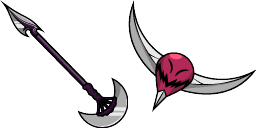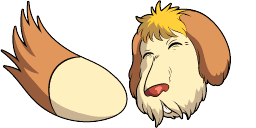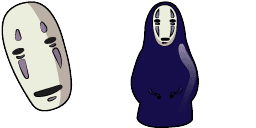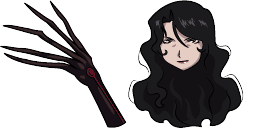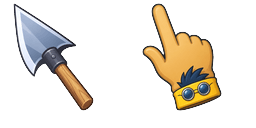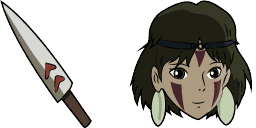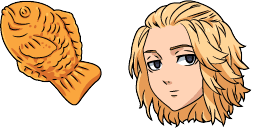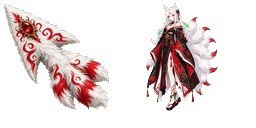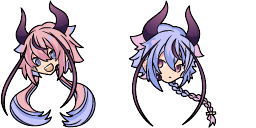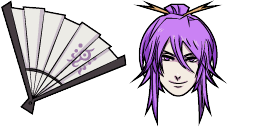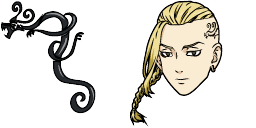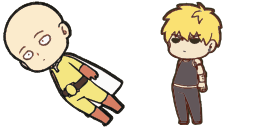
Anteprima cursore: One-Punch Man - 1 - cute-cursor.com

Pack di cursori

One-Punch Man

AnimeAggiunto 579 volte

Browse with One-Punch Man - a Chrome cursor featuring themed custom pointer and matching hover. Chrome cursor fan art.
Aggiungi all'Estensione

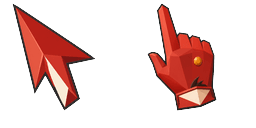
Get ready to level up your browsing experience with the One-Punch Man cursor from Anime Cursor Collection! This cursor features the iconic protagonist, Saitama, ready to unleash his devastating punch. With its smooth animation and high-quality graphics, this cursor will add an epic touch to your web surfing. Plus, it's easy to install and compatible with most browsers. So what are you waiting for? Download the One-Punch Man cursor now and become unstoppable like Saitama!

File del cursore

Scarica il file o copia il codice CSS, JavaScript, React e Roblox pronto all'uso con l'hotspot corretto.

Cursore - 1 - cute-cursor.com

Cursore

Scarica il file o copia il codice di incorporamento per il tuo sito web, React, JavaScript o Roblox.

Incolla questo CSS nel tuo foglio di stile. Le coordinate dell'hotspot sono già incluse.

.custom-cursor {
  cursor: url('https://cute-cursor.com/cdn/packs/10177/arrow.png') 11 6, auto;
}

Incolla questo JavaScript per applicare il cursore con l'hotspot corretto.

const CURSOR_URL = 'https://cute-cursor.com/cdn/packs/10177/arrow.png';
const HOTSPOT_X = 11;
const HOTSPOT_Y = 6;
const CURSOR_FALLBACK = 'auto';

const cursorValue = `url('${CURSOR_URL}') ${HOTSPOT_X} ${HOTSPOT_Y}, ${CURSOR_FALLBACK}`;

// Apply to the whole page
document.body.style.cursor = cursorValue;

// Or apply to a specific element
// const target = document.querySelector('.my-element');
// if (target) target.style.cursor = cursorValue;

Copia questo componente React e avvolgi il tuo contenuto con esso.

import React from 'react';

const CURSOR_URL = 'https://cute-cursor.com/cdn/packs/10177/arrow.png';
const HOTSPOT_X = 11;
const HOTSPOT_Y = 6;
const CURSOR_FALLBACK = 'auto';

export default function CustomCursor({ children, className = '', as: Tag = 'div', style = {}, ...props }) {
  const cursorStyle = {
    cursor: `url('${CURSOR_URL}') ${HOTSPOT_X} ${HOTSPOT_Y}, ${CURSOR_FALLBACK}`,
    ...style,
  };

  return (
    <Tag className={className} style={cursorStyle} {...props}>
      {children}
    </Tag>
  );
}

// Usage:
// <CustomCursor>Your content</CustomCursor>

Carica l'immagine su Roblox, sostituisci YOUR_ASSET_ID, quindi incolla questo LocalScript.

-- Roblox custom cursor
-- Image URL: https://cute-cursor.com/cdn/packs/10177/arrow.png
-- Hotspot: 11, 6
-- Size: 128x128
-- 1. Upload the image to Roblox and copy rbxassetid
-- 2. Replace YOUR_ASSET_ID below
-- 3. Put this LocalScript in StarterPlayer > StarterPlayerScripts

local UserInputService = game:GetService("UserInputService")
local RunService = game:GetService("RunService")
local Players = game:GetService("Players")

local player = Players.LocalPlayer
local playerGui = player:WaitForChild("PlayerGui")

local HOTSPOT_X = 11
local HOTSPOT_Y = 6
local CURSOR_WIDTH = 128
local CURSOR_HEIGHT = 128

local screenGui = Instance.new("ScreenGui")
screenGui.Name = "CustomCursorGui"
screenGui.ResetOnSpawn = false
screenGui.IgnoreGuiInset = true
screenGui.DisplayOrder = 999999
screenGui.Parent = playerGui

local cursor = Instance.new("ImageLabel")
cursor.Name = "CustomCursor"
cursor.BackgroundTransparency = 1
cursor.Size = UDim2.fromOffset(CURSOR_WIDTH, CURSOR_HEIGHT)
cursor.Image = "rbxassetid://YOUR_ASSET_ID"
cursor.ZIndex = 999999
cursor.Parent = screenGui

UserInputService.MouseIconEnabled = false

RunService.RenderStepped:Connect(function()
    local mouseLocation = UserInputService:GetMouseLocation()
    cursor.Position = UDim2.fromOffset(mouseLocation.X - HOTSPOT_X, mouseLocation.Y - HOTSPOT_Y)
end)
Puntatore - 2 - cute-cursor.com

Puntatore

Scarica il file o copia il codice di incorporamento per il tuo sito web, React, JavaScript o Roblox.

Incolla questo CSS nel tuo foglio di stile. Le coordinate dell'hotspot sono già incluse.

.custom-pointer {
  cursor: url('https://cute-cursor.com/cdn/packs/10177/hand.png') 30 4, pointer;
}

Incolla questo JavaScript per applicare il cursore con l'hotspot corretto.

const CURSOR_URL = 'https://cute-cursor.com/cdn/packs/10177/hand.png';
const HOTSPOT_X = 30;
const HOTSPOT_Y = 4;
const CURSOR_FALLBACK = 'pointer';

const cursorValue = `url('${CURSOR_URL}') ${HOTSPOT_X} ${HOTSPOT_Y}, ${CURSOR_FALLBACK}`;

// Apply to the whole page
document.body.style.cursor = cursorValue;

// Or apply to a specific element
// const target = document.querySelector('.my-element');
// if (target) target.style.cursor = cursorValue;

Copia questo componente React e avvolgi il tuo contenuto con esso.

import React from 'react';

const CURSOR_URL = 'https://cute-cursor.com/cdn/packs/10177/hand.png';
const HOTSPOT_X = 30;
const HOTSPOT_Y = 4;
const CURSOR_FALLBACK = 'pointer';

export default function CustomPointer({ children, className = '', as: Tag = 'div', style = {}, ...props }) {
  const cursorStyle = {
    cursor: `url('${CURSOR_URL}') ${HOTSPOT_X} ${HOTSPOT_Y}, ${CURSOR_FALLBACK}`,
    ...style,
  };

  return (
    <Tag className={className} style={cursorStyle} {...props}>
      {children}
    </Tag>
  );
}

// Usage:
// <CustomPointer>Your content</CustomPointer>

Carica l'immagine su Roblox, sostituisci YOUR_ASSET_ID, quindi incolla questo LocalScript.

-- Roblox custom cursor
-- Image URL: https://cute-cursor.com/cdn/packs/10177/hand.png
-- Hotspot: 30, 4
-- Size: 128x128
-- 1. Upload the image to Roblox and copy rbxassetid
-- 2. Replace YOUR_ASSET_ID below
-- 3. Put this LocalScript in StarterPlayer > StarterPlayerScripts

local UserInputService = game:GetService("UserInputService")
local RunService = game:GetService("RunService")
local Players = game:GetService("Players")

local player = Players.LocalPlayer
local playerGui = player:WaitForChild("PlayerGui")

local HOTSPOT_X = 30
local HOTSPOT_Y = 4
local CURSOR_WIDTH = 128
local CURSOR_HEIGHT = 128

local screenGui = Instance.new("ScreenGui")
screenGui.Name = "CustomCursorGui"
screenGui.ResetOnSpawn = false
screenGui.IgnoreGuiInset = true
screenGui.DisplayOrder = 999999
screenGui.Parent = playerGui

local cursor = Instance.new("ImageLabel")
cursor.Name = "CustomCursor"
cursor.BackgroundTransparency = 1
cursor.Size = UDim2.fromOffset(CURSOR_WIDTH, CURSOR_HEIGHT)
cursor.Image = "rbxassetid://YOUR_ASSET_ID"
cursor.ZIndex = 999999
cursor.Parent = screenGui

UserInputService.MouseIconEnabled = false

RunService.RenderStepped:Connect(function()
    local mouseLocation = UserInputService:GetMouseLocation()
    cursor.Position = UDim2.fromOffset(mouseLocation.X - HOTSPOT_X, mouseLocation.Y - HOTSPOT_Y)
end)
100% Gratis

Ottieni l'estensione Cursor Changer

Gratis per Chrome. Installa una volta, poi clicca su Aggiungi sul cursore che preferisci.

Installa su Chrome