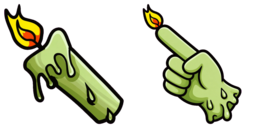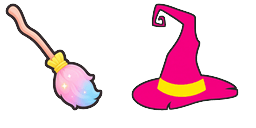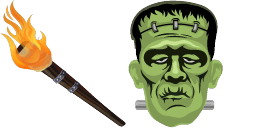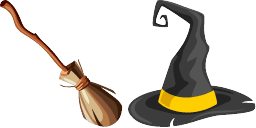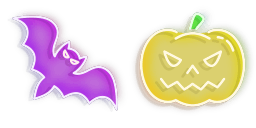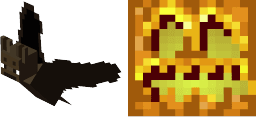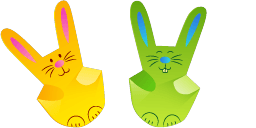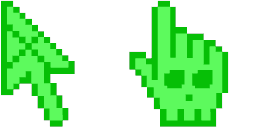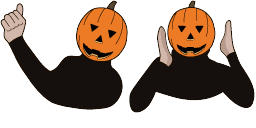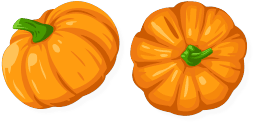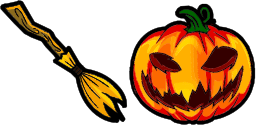
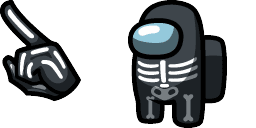
معاينة المؤشر: Halloween broom and pumpkin - 1 - cute-cursor.com

حزمة مؤشرات

Halloween broom and pumpkin

Halloween Pumpkinsأُضيف 184 مرة

Halloween broom and pumpkin pointer for Chrome with haunted hover. Halloween fan art.

إضافة إلى الإضافة

The Basic Cursors Cursor Collection now features a Halloween-themed broom and pumpkin cursor for your browser. This spooky cursor set is perfect for Halloween enthusiasts who want to add a festive touch to their Internet browsing experience. The broom and pumpkin cursor is a fun and unique way to show your love for the holiday, and it is sure to delight anyone who sees it. Download it now and add a bit of Halloween magic to your device!

ملفات المؤشر

نزّل الملف أو انسخ أكواد CSS وJavaScript وReact وRoblox الجاهزة للاستخدام مع نقطة الالتقاط الصحيحة.

مؤشر - 1 - cute-cursor.com

مؤشر

نزّل الملف أو انسخ كود التضمين لموقعك أو React أو JavaScript أو Roblox.

الصق كود CSS هذا في ورقة الأنماط الخاصة بك. إحداثيات نقطة الالتقاط مضمَّنة بالفعل.

.custom-cursor {
  cursor: url('https://cute-cursor.com/cdn/packs/10467/arrow.png') 3 3, auto;
}

الصق كود JavaScript هذا لتطبيق المؤشر مع نقطة الالتقاط الصحيحة.

const CURSOR_URL = 'https://cute-cursor.com/cdn/packs/10467/arrow.png';
const HOTSPOT_X = 3;
const HOTSPOT_Y = 3;
const CURSOR_FALLBACK = 'auto';

const cursorValue = `url('${CURSOR_URL}') ${HOTSPOT_X} ${HOTSPOT_Y}, ${CURSOR_FALLBACK}`;

// Apply to the whole page
document.body.style.cursor = cursorValue;

// Or apply to a specific element
// const target = document.querySelector('.my-element');
// if (target) target.style.cursor = cursorValue;

انسخ مكوّن React هذا وضَع محتواك بداخله.

import React from 'react';

const CURSOR_URL = 'https://cute-cursor.com/cdn/packs/10467/arrow.png';
const HOTSPOT_X = 3;
const HOTSPOT_Y = 3;
const CURSOR_FALLBACK = 'auto';

export default function CustomCursor({ children, className = '', as: Tag = 'div', style = {}, ...props }) {
  const cursorStyle = {
    cursor: `url('${CURSOR_URL}') ${HOTSPOT_X} ${HOTSPOT_Y}, ${CURSOR_FALLBACK}`,
    ...style,
  };

  return (
    <Tag className={className} style={cursorStyle} {...props}>
      {children}
    </Tag>
  );
}

// Usage:
// <CustomCursor>Your content</CustomCursor>

ارفع الصورة إلى Roblox، واستبدل YOUR_ASSET_ID، ثم الصق هذا الـ LocalScript.

-- Roblox custom cursor
-- Image URL: https://cute-cursor.com/cdn/packs/10467/arrow.png
-- Hotspot: 3, 3
-- Size: 128x128
-- 1. Upload the image to Roblox and copy rbxassetid
-- 2. Replace YOUR_ASSET_ID below
-- 3. Put this LocalScript in StarterPlayer > StarterPlayerScripts

local UserInputService = game:GetService("UserInputService")
local RunService = game:GetService("RunService")
local Players = game:GetService("Players")

local player = Players.LocalPlayer
local playerGui = player:WaitForChild("PlayerGui")

local HOTSPOT_X = 3
local HOTSPOT_Y = 3
local CURSOR_WIDTH = 128
local CURSOR_HEIGHT = 128

local screenGui = Instance.new("ScreenGui")
screenGui.Name = "CustomCursorGui"
screenGui.ResetOnSpawn = false
screenGui.IgnoreGuiInset = true
screenGui.DisplayOrder = 999999
screenGui.Parent = playerGui

local cursor = Instance.new("ImageLabel")
cursor.Name = "CustomCursor"
cursor.BackgroundTransparency = 1
cursor.Size = UDim2.fromOffset(CURSOR_WIDTH, CURSOR_HEIGHT)
cursor.Image = "rbxassetid://YOUR_ASSET_ID"
cursor.ZIndex = 999999
cursor.Parent = screenGui

UserInputService.MouseIconEnabled = false

RunService.RenderStepped:Connect(function()
    local mouseLocation = UserInputService:GetMouseLocation()
    cursor.Position = UDim2.fromOffset(mouseLocation.X - HOTSPOT_X, mouseLocation.Y - HOTSPOT_Y)
end)
مؤشر تأشير - 2 - cute-cursor.com

مؤشر تأشير

نزّل الملف أو انسخ كود التضمين لموقعك أو React أو JavaScript أو Roblox.

الصق كود CSS هذا في ورقة الأنماط الخاصة بك. إحداثيات نقطة الالتقاط مضمَّنة بالفعل.

.custom-pointer {
  cursor: url('https://cute-cursor.com/cdn/packs/10467/hand.png') 29 4, pointer;
}

الصق كود JavaScript هذا لتطبيق المؤشر مع نقطة الالتقاط الصحيحة.

const CURSOR_URL = 'https://cute-cursor.com/cdn/packs/10467/hand.png';
const HOTSPOT_X = 29;
const HOTSPOT_Y = 4;
const CURSOR_FALLBACK = 'pointer';

const cursorValue = `url('${CURSOR_URL}') ${HOTSPOT_X} ${HOTSPOT_Y}, ${CURSOR_FALLBACK}`;

// Apply to the whole page
document.body.style.cursor = cursorValue;

// Or apply to a specific element
// const target = document.querySelector('.my-element');
// if (target) target.style.cursor = cursorValue;

انسخ مكوّن React هذا وضَع محتواك بداخله.

import React from 'react';

const CURSOR_URL = 'https://cute-cursor.com/cdn/packs/10467/hand.png';
const HOTSPOT_X = 29;
const HOTSPOT_Y = 4;
const CURSOR_FALLBACK = 'pointer';

export default function CustomPointer({ children, className = '', as: Tag = 'div', style = {}, ...props }) {
  const cursorStyle = {
    cursor: `url('${CURSOR_URL}') ${HOTSPOT_X} ${HOTSPOT_Y}, ${CURSOR_FALLBACK}`,
    ...style,
  };

  return (
    <Tag className={className} style={cursorStyle} {...props}>
      {children}
    </Tag>
  );
}

// Usage:
// <CustomPointer>Your content</CustomPointer>

ارفع الصورة إلى Roblox، واستبدل YOUR_ASSET_ID، ثم الصق هذا الـ LocalScript.

-- Roblox custom cursor
-- Image URL: https://cute-cursor.com/cdn/packs/10467/hand.png
-- Hotspot: 29, 4
-- Size: 128x128
-- 1. Upload the image to Roblox and copy rbxassetid
-- 2. Replace YOUR_ASSET_ID below
-- 3. Put this LocalScript in StarterPlayer > StarterPlayerScripts

local UserInputService = game:GetService("UserInputService")
local RunService = game:GetService("RunService")
local Players = game:GetService("Players")

local player = Players.LocalPlayer
local playerGui = player:WaitForChild("PlayerGui")

local HOTSPOT_X = 29
local HOTSPOT_Y = 4
local CURSOR_WIDTH = 128
local CURSOR_HEIGHT = 128

local screenGui = Instance.new("ScreenGui")
screenGui.Name = "CustomCursorGui"
screenGui.ResetOnSpawn = false
screenGui.IgnoreGuiInset = true
screenGui.DisplayOrder = 999999
screenGui.Parent = playerGui

local cursor = Instance.new("ImageLabel")
cursor.Name = "CustomCursor"
cursor.BackgroundTransparency = 1
cursor.Size = UDim2.fromOffset(CURSOR_WIDTH, CURSOR_HEIGHT)
cursor.Image = "rbxassetid://YOUR_ASSET_ID"
cursor.ZIndex = 999999
cursor.Parent = screenGui

UserInputService.MouseIconEnabled = false

RunService.RenderStepped:Connect(function()
    local mouseLocation = UserInputService:GetMouseLocation()
    cursor.Position = UDim2.fromOffset(mouseLocation.X - HOTSPOT_X, mouseLocation.Y - HOTSPOT_Y)
end)
مجاني 100%

احصل على إضافة Cursor Changer

مجاني لمتصفح Chrome. ثبّته مرة واحدة، ثم انقر على إضافة فوق أي مؤشر يعجبك.

التثبيت في Chrome