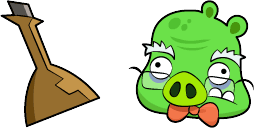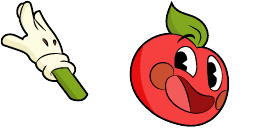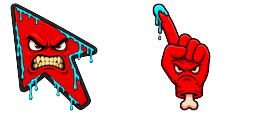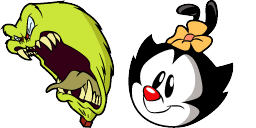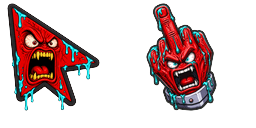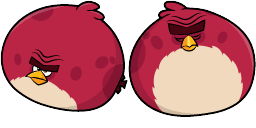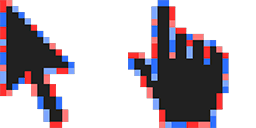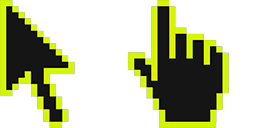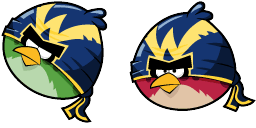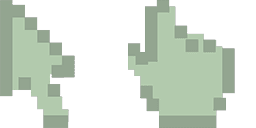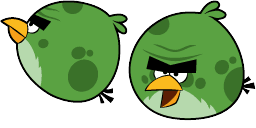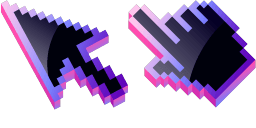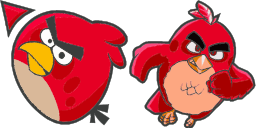
İmleç önizlemesi: Angry Birds Red - 1 - cute-cursor.com

İmleç paketi

Angry Birds Red

Classic Arcade243 kez eklendi

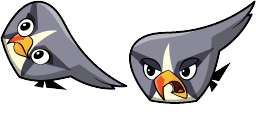
Angry Birds Red cursor for Chrome - themed custom pointer with matching hover hand. Chrome cursor fan art.
Uzantıya Ekle

Get ready to add some fiery attitude to your web browsing with the Angry Birds Red cursor from the Cartoons Cursor Collection! This bold, red cursor features the one and only Red, the hot-headed leader of the Angry Birds clan. Whether you're looking to take down some pesky pigs or just need a little extra oomph in your daily web scrolling, the Angry Birds Red cursor is the perfect addition to your browsing experience. So don't wait - download it now and channel your own inner anger bird!

İmleç dosyaları

Dosyayı indirin veya doğru etkin noktayla hazır CSS, JavaScript, React ve Roblox kodunu kopyalayın.

İmleç - 1 - cute-cursor.com

İmleç

Dosyayı indirin veya web siteniz, React, JavaScript ya da Roblox için yerleştirme kodunu kopyalayın.

Bu CSS'i stil sayfanıza yapıştırın. Etkin nokta koordinatları zaten dahildir.

.custom-cursor {
  cursor: url('https://cute-cursor.com/cdn/packs/10569/arrow.png') 3 2, auto;
}

İmleci doğru etkin noktayla uygulamak için bu JavaScript'i yapıştırın.

const CURSOR_URL = 'https://cute-cursor.com/cdn/packs/10569/arrow.png';
const HOTSPOT_X = 3;
const HOTSPOT_Y = 2;
const CURSOR_FALLBACK = 'auto';

const cursorValue = `url('${CURSOR_URL}') ${HOTSPOT_X} ${HOTSPOT_Y}, ${CURSOR_FALLBACK}`;

// Apply to the whole page
document.body.style.cursor = cursorValue;

// Or apply to a specific element
// const target = document.querySelector('.my-element');
// if (target) target.style.cursor = cursorValue;

Bu React bileşenini kopyalayın ve içeriğinizi onunla sarmalayın.

import React from 'react';

const CURSOR_URL = 'https://cute-cursor.com/cdn/packs/10569/arrow.png';
const HOTSPOT_X = 3;
const HOTSPOT_Y = 2;
const CURSOR_FALLBACK = 'auto';

export default function CustomCursor({ children, className = '', as: Tag = 'div', style = {}, ...props }) {
  const cursorStyle = {
    cursor: `url('${CURSOR_URL}') ${HOTSPOT_X} ${HOTSPOT_Y}, ${CURSOR_FALLBACK}`,
    ...style,
  };

  return (
    <Tag className={className} style={cursorStyle} {...props}>
      {children}
    </Tag>
  );
}

// Usage:
// <CustomCursor>Your content</CustomCursor>

Görseli Roblox'a yükleyin, YOUR_ASSET_ID kısmını değiştirin, ardından bu LocalScript'i yapıştırın.

-- Roblox custom cursor
-- Image URL: https://cute-cursor.com/cdn/packs/10569/arrow.png
-- Hotspot: 3, 2
-- Size: 128x128
-- 1. Upload the image to Roblox and copy rbxassetid
-- 2. Replace YOUR_ASSET_ID below
-- 3. Put this LocalScript in StarterPlayer > StarterPlayerScripts

local UserInputService = game:GetService("UserInputService")
local RunService = game:GetService("RunService")
local Players = game:GetService("Players")

local player = Players.LocalPlayer
local playerGui = player:WaitForChild("PlayerGui")

local HOTSPOT_X = 3
local HOTSPOT_Y = 2
local CURSOR_WIDTH = 128
local CURSOR_HEIGHT = 128

local screenGui = Instance.new("ScreenGui")
screenGui.Name = "CustomCursorGui"
screenGui.ResetOnSpawn = false
screenGui.IgnoreGuiInset = true
screenGui.DisplayOrder = 999999
screenGui.Parent = playerGui

local cursor = Instance.new("ImageLabel")
cursor.Name = "CustomCursor"
cursor.BackgroundTransparency = 1
cursor.Size = UDim2.fromOffset(CURSOR_WIDTH, CURSOR_HEIGHT)
cursor.Image = "rbxassetid://YOUR_ASSET_ID"
cursor.ZIndex = 999999
cursor.Parent = screenGui

UserInputService.MouseIconEnabled = false

RunService.RenderStepped:Connect(function()
    local mouseLocation = UserInputService:GetMouseLocation()
    cursor.Position = UDim2.fromOffset(mouseLocation.X - HOTSPOT_X, mouseLocation.Y - HOTSPOT_Y)
end)
İşaretçi - 2 - cute-cursor.com

İşaretçi

Dosyayı indirin veya web siteniz, React, JavaScript ya da Roblox için yerleştirme kodunu kopyalayın.

Bu CSS'i stil sayfanıza yapıştırın. Etkin nokta koordinatları zaten dahildir.

.custom-pointer {
  cursor: url('https://cute-cursor.com/cdn/packs/10569/hand.png') 36 2, pointer;
}

İmleci doğru etkin noktayla uygulamak için bu JavaScript'i yapıştırın.

const CURSOR_URL = 'https://cute-cursor.com/cdn/packs/10569/hand.png';
const HOTSPOT_X = 36;
const HOTSPOT_Y = 2;
const CURSOR_FALLBACK = 'pointer';

const cursorValue = `url('${CURSOR_URL}') ${HOTSPOT_X} ${HOTSPOT_Y}, ${CURSOR_FALLBACK}`;

// Apply to the whole page
document.body.style.cursor = cursorValue;

// Or apply to a specific element
// const target = document.querySelector('.my-element');
// if (target) target.style.cursor = cursorValue;

Bu React bileşenini kopyalayın ve içeriğinizi onunla sarmalayın.

import React from 'react';

const CURSOR_URL = 'https://cute-cursor.com/cdn/packs/10569/hand.png';
const HOTSPOT_X = 36;
const HOTSPOT_Y = 2;
const CURSOR_FALLBACK = 'pointer';

export default function CustomPointer({ children, className = '', as: Tag = 'div', style = {}, ...props }) {
  const cursorStyle = {
    cursor: `url('${CURSOR_URL}') ${HOTSPOT_X} ${HOTSPOT_Y}, ${CURSOR_FALLBACK}`,
    ...style,
  };

  return (
    <Tag className={className} style={cursorStyle} {...props}>
      {children}
    </Tag>
  );
}

// Usage:
// <CustomPointer>Your content</CustomPointer>

Görseli Roblox'a yükleyin, YOUR_ASSET_ID kısmını değiştirin, ardından bu LocalScript'i yapıştırın.

-- Roblox custom cursor
-- Image URL: https://cute-cursor.com/cdn/packs/10569/hand.png
-- Hotspot: 36, 2
-- Size: 128x128
-- 1. Upload the image to Roblox and copy rbxassetid
-- 2. Replace YOUR_ASSET_ID below
-- 3. Put this LocalScript in StarterPlayer > StarterPlayerScripts

local UserInputService = game:GetService("UserInputService")
local RunService = game:GetService("RunService")
local Players = game:GetService("Players")

local player = Players.LocalPlayer
local playerGui = player:WaitForChild("PlayerGui")

local HOTSPOT_X = 36
local HOTSPOT_Y = 2
local CURSOR_WIDTH = 128
local CURSOR_HEIGHT = 128

local screenGui = Instance.new("ScreenGui")
screenGui.Name = "CustomCursorGui"
screenGui.ResetOnSpawn = false
screenGui.IgnoreGuiInset = true
screenGui.DisplayOrder = 999999
screenGui.Parent = playerGui

local cursor = Instance.new("ImageLabel")
cursor.Name = "CustomCursor"
cursor.BackgroundTransparency = 1
cursor.Size = UDim2.fromOffset(CURSOR_WIDTH, CURSOR_HEIGHT)
cursor.Image = "rbxassetid://YOUR_ASSET_ID"
cursor.ZIndex = 999999
cursor.Parent = screenGui

UserInputService.MouseIconEnabled = false

RunService.RenderStepped:Connect(function()
    local mouseLocation = UserInputService:GetMouseLocation()
    cursor.Position = UDim2.fromOffset(mouseLocation.X - HOTSPOT_X, mouseLocation.Y - HOTSPOT_Y)
end)
%100 Ücretsiz

İmleç Değiştirici uzantısını edinin

Chrome için ücretsiz. Bir kez yükleyin, ardından beğendiğiniz herhangi bir imlece Ekle'ye tıklayın.

Chrome'a Yükle