Xem trước con trỏ: South Park Stan Marsh - 1 - cute-cursor.com

Bộ con trỏ

South Park Stan Marsh

Adult Animated ComedyĐã thêm 179 lần

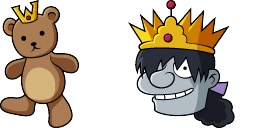
Stan Marsh cursor for Chrome - South Park kid pointer with hat hover hand. Adult cartoon fan art pack.

Thêm vào tiện ích mở rộng

Stanley "Stan" Marsh is one of the four main characters of the adult animated television series South Park. The pack gives you Stan Marsh pointer and hat hover hand. Works in Chrome through the Cute Cursor extension. Unofficial fan art. He is quite experienced and wise compared to the other characters, which is uncharacteristic of ordinary life in the fictional city of South Park.

Tệp con trỏ

Tải tệp xuống hoặc sao chép mã CSS, JavaScript, React và Roblox sẵn sàng sử dụng với điểm nóng chính xác.

Con trỏ - 1 - cute-cursor.com

Con trỏ

Tải tệp xuống hoặc sao chép mã nhúng cho trang web, React, JavaScript hoặc Roblox của bạn.

Dán đoạn CSS này vào stylesheet của bạn. Tọa độ điểm nóng đã được bao gồm sẵn.

.custom-cursor {
  cursor: url('https://cute-cursor.com/cdn/packs/660/arrow.png') 33 0, auto;
}

Dán đoạn JavaScript này để áp dụng con trỏ với điểm nóng chính xác.

const CURSOR_URL = 'https://cute-cursor.com/cdn/packs/660/arrow.png';
const HOTSPOT_X = 33;
const HOTSPOT_Y = 0;
const CURSOR_FALLBACK = 'auto';

const cursorValue = `url('${CURSOR_URL}') ${HOTSPOT_X} ${HOTSPOT_Y}, ${CURSOR_FALLBACK}`;

// Apply to the whole page
document.body.style.cursor = cursorValue;

// Or apply to a specific element
// const target = document.querySelector('.my-element');
// if (target) target.style.cursor = cursorValue;

Sao chép thành phần React này và bọc nội dung của bạn bằng nó.

import React from 'react';

const CURSOR_URL = 'https://cute-cursor.com/cdn/packs/660/arrow.png';
const HOTSPOT_X = 33;
const HOTSPOT_Y = 0;
const CURSOR_FALLBACK = 'auto';

export default function CustomCursor({ children, className = '', as: Tag = 'div', style = {}, ...props }) {
  const cursorStyle = {
    cursor: `url('${CURSOR_URL}') ${HOTSPOT_X} ${HOTSPOT_Y}, ${CURSOR_FALLBACK}`,
    ...style,
  };

  return (
    <Tag className={className} style={cursorStyle} {...props}>
      {children}
    </Tag>
  );
}

// Usage:
// <CustomCursor>Your content</CustomCursor>

Tải hình ảnh lên Roblox, thay thế YOUR_ASSET_ID, sau đó dán LocalScript này.

-- Roblox custom cursor
-- Image URL: https://cute-cursor.com/cdn/packs/660/arrow.png
-- Hotspot: 33, 0
-- Size: 128x128
-- 1. Upload the image to Roblox and copy rbxassetid
-- 2. Replace YOUR_ASSET_ID below
-- 3. Put this LocalScript in StarterPlayer > StarterPlayerScripts

local UserInputService = game:GetService("UserInputService")
local RunService = game:GetService("RunService")
local Players = game:GetService("Players")

local player = Players.LocalPlayer
local playerGui = player:WaitForChild("PlayerGui")

local HOTSPOT_X = 33
local HOTSPOT_Y = 0
local CURSOR_WIDTH = 128
local CURSOR_HEIGHT = 128

local screenGui = Instance.new("ScreenGui")
screenGui.Name = "CustomCursorGui"
screenGui.ResetOnSpawn = false
screenGui.IgnoreGuiInset = true
screenGui.DisplayOrder = 999999
screenGui.Parent = playerGui

local cursor = Instance.new("ImageLabel")
cursor.Name = "CustomCursor"
cursor.BackgroundTransparency = 1
cursor.Size = UDim2.fromOffset(CURSOR_WIDTH, CURSOR_HEIGHT)
cursor.Image = "rbxassetid://YOUR_ASSET_ID"
cursor.ZIndex = 999999
cursor.Parent = screenGui

UserInputService.MouseIconEnabled = false

RunService.RenderStepped:Connect(function()
    local mouseLocation = UserInputService:GetMouseLocation()
    cursor.Position = UDim2.fromOffset(mouseLocation.X - HOTSPOT_X, mouseLocation.Y - HOTSPOT_Y)
end)
Con trỏ chuột - 2 - cute-cursor.com

Con trỏ chuột

Tải tệp xuống hoặc sao chép mã nhúng cho trang web, React, JavaScript hoặc Roblox của bạn.

Dán đoạn CSS này vào stylesheet của bạn. Tọa độ điểm nóng đã được bao gồm sẵn.

.custom-pointer {
  cursor: url('https://cute-cursor.com/cdn/packs/660/hand.png') 166 0, pointer;
}

Dán đoạn JavaScript này để áp dụng con trỏ với điểm nóng chính xác.

const CURSOR_URL = 'https://cute-cursor.com/cdn/packs/660/hand.png';
const HOTSPOT_X = 166;
const HOTSPOT_Y = 0;
const CURSOR_FALLBACK = 'pointer';

const cursorValue = `url('${CURSOR_URL}') ${HOTSPOT_X} ${HOTSPOT_Y}, ${CURSOR_FALLBACK}`;

// Apply to the whole page
document.body.style.cursor = cursorValue;

// Or apply to a specific element
// const target = document.querySelector('.my-element');
// if (target) target.style.cursor = cursorValue;

Sao chép thành phần React này và bọc nội dung của bạn bằng nó.

import React from 'react';

const CURSOR_URL = 'https://cute-cursor.com/cdn/packs/660/hand.png';
const HOTSPOT_X = 166;
const HOTSPOT_Y = 0;
const CURSOR_FALLBACK = 'pointer';

export default function CustomPointer({ children, className = '', as: Tag = 'div', style = {}, ...props }) {
  const cursorStyle = {
    cursor: `url('${CURSOR_URL}') ${HOTSPOT_X} ${HOTSPOT_Y}, ${CURSOR_FALLBACK}`,
    ...style,
  };

  return (
    <Tag className={className} style={cursorStyle} {...props}>
      {children}
    </Tag>
  );
}

// Usage:
// <CustomPointer>Your content</CustomPointer>

Tải hình ảnh lên Roblox, thay thế YOUR_ASSET_ID, sau đó dán LocalScript này.

-- Roblox custom cursor
-- Image URL: https://cute-cursor.com/cdn/packs/660/hand.png
-- Hotspot: 166, 0
-- Size: 128x128
-- 1. Upload the image to Roblox and copy rbxassetid
-- 2. Replace YOUR_ASSET_ID below
-- 3. Put this LocalScript in StarterPlayer > StarterPlayerScripts

local UserInputService = game:GetService("UserInputService")
local RunService = game:GetService("RunService")
local Players = game:GetService("Players")

local player = Players.LocalPlayer
local playerGui = player:WaitForChild("PlayerGui")

local HOTSPOT_X = 166
local HOTSPOT_Y = 0
local CURSOR_WIDTH = 128
local CURSOR_HEIGHT = 128

local screenGui = Instance.new("ScreenGui")
screenGui.Name = "CustomCursorGui"
screenGui.ResetOnSpawn = false
screenGui.IgnoreGuiInset = true
screenGui.DisplayOrder = 999999
screenGui.Parent = playerGui

local cursor = Instance.new("ImageLabel")
cursor.Name = "CustomCursor"
cursor.BackgroundTransparency = 1
cursor.Size = UDim2.fromOffset(CURSOR_WIDTH, CURSOR_HEIGHT)
cursor.Image = "rbxassetid://YOUR_ASSET_ID"
cursor.ZIndex = 999999
cursor.Parent = screenGui

UserInputService.MouseIconEnabled = false

RunService.RenderStepped:Connect(function()
    local mouseLocation = UserInputService:GetMouseLocation()
    cursor.Position = UDim2.fromOffset(mouseLocation.X - HOTSPOT_X, mouseLocation.Y - HOTSPOT_Y)
end)
100% Miễn phí

Nhận tiện ích mở rộng Cursor Changer

Miễn phí cho Chrome. Cài đặt một lần, sau đó nhấp Thêm trên bất kỳ con trỏ nào bạn thích.

Cài đặt vào Chrome