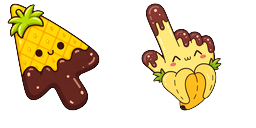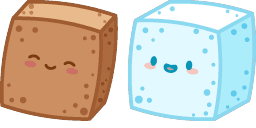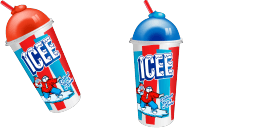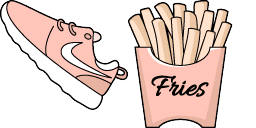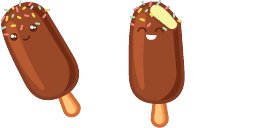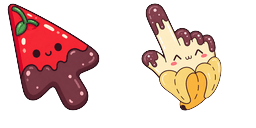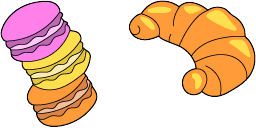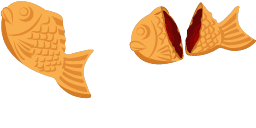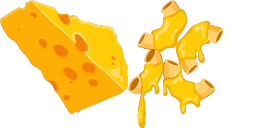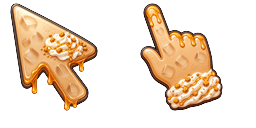
Aperçu du curseur : Ice cream and muffin - 1 - cute-cursor.com

Pack de curseurs

Ice cream and muffin

Food & DrinksAdded 323 times

Ice cream and muffin cursor for Chrome - speedster pointer with spin dash hover hand. Sonic fan art pack.

Ajouter à l'extension

Indulge your sweet tooth with the delicious Ice Cream and Muffin cursor from our Food & Drinks Cursor collection! With its vibrant colors, this cursor is the perfect companion for any food blogging or recipe site. The cursor features a mouth-watering scoop of ice cream and a freshly baked muffin that will leave your users' taste buds tingling. This cursor is easy to install and guarantees to keep your users engaged while browsing your site. So why not add some sweetness to your site with our Ice Cream and Muffin cursor today!

Fichiers curseur

Téléchargez le fichier ou copiez le CSS et le code Roblox prêts à l'emploi avec le bon hotspot.

Curseur - 1 - cute-cursor.com

Curseur

Téléchargez le fichier ou copiez le code pour votre site, React, JavaScript ou Roblox.

Collez ce CSS dans votre feuille de style. Les coordonnées du hotspot sont déjà incluses.

.custom-cursor {
  cursor: url('https://cute-cursor.com/cdn/packs/10182/arrow.png') 13 2, auto;
}

Collez ce JavaScript pour appliquer le curseur avec le bon hotspot.

const CURSOR_URL = 'https://cute-cursor.com/cdn/packs/10182/arrow.png';
const HOTSPOT_X = 13;
const HOTSPOT_Y = 2;
const CURSOR_FALLBACK = 'auto';

const cursorValue = `url('${CURSOR_URL}') ${HOTSPOT_X} ${HOTSPOT_Y}, ${CURSOR_FALLBACK}`;

// Apply to the whole page
document.body.style.cursor = cursorValue;

// Or apply to a specific element
// const target = document.querySelector('.my-element');
// if (target) target.style.cursor = cursorValue;

Copiez ce composant React et enveloppez votre contenu avec.

import React from 'react';

const CURSOR_URL = 'https://cute-cursor.com/cdn/packs/10182/arrow.png';
const HOTSPOT_X = 13;
const HOTSPOT_Y = 2;
const CURSOR_FALLBACK = 'auto';

export default function CustomCursor({ children, className = '', as: Tag = 'div', style = {}, ...props }) {
  const cursorStyle = {
    cursor: `url('${CURSOR_URL}') ${HOTSPOT_X} ${HOTSPOT_Y}, ${CURSOR_FALLBACK}`,
    ...style,
  };

  return (
    <Tag className={className} style={cursorStyle} {...props}>
      {children}
    </Tag>
  );
}

// Usage:
// <CustomCursor>Your content</CustomCursor>

Importez l'image dans Roblox, remplacez YOUR_ASSET_ID, puis collez ce LocalScript.

-- Roblox custom cursor
-- Image URL: https://cute-cursor.com/cdn/packs/10182/arrow.png
-- Hotspot: 13, 2
-- Size: 128x128
-- 1. Upload the image to Roblox and copy rbxassetid
-- 2. Replace YOUR_ASSET_ID below
-- 3. Put this LocalScript in StarterPlayer > StarterPlayerScripts

local UserInputService = game:GetService("UserInputService")
local RunService = game:GetService("RunService")
local Players = game:GetService("Players")

local player = Players.LocalPlayer
local playerGui = player:WaitForChild("PlayerGui")

local HOTSPOT_X = 13
local HOTSPOT_Y = 2
local CURSOR_WIDTH = 128
local CURSOR_HEIGHT = 128

local screenGui = Instance.new("ScreenGui")
screenGui.Name = "CustomCursorGui"
screenGui.ResetOnSpawn = false
screenGui.IgnoreGuiInset = true
screenGui.DisplayOrder = 999999
screenGui.Parent = playerGui

local cursor = Instance.new("ImageLabel")
cursor.Name = "CustomCursor"
cursor.BackgroundTransparency = 1
cursor.Size = UDim2.fromOffset(CURSOR_WIDTH, CURSOR_HEIGHT)
cursor.Image = "rbxassetid://YOUR_ASSET_ID"
cursor.ZIndex = 999999
cursor.Parent = screenGui

UserInputService.MouseIconEnabled = false

RunService.RenderStepped:Connect(function()
    local mouseLocation = UserInputService:GetMouseLocation()
    cursor.Position = UDim2.fromOffset(mouseLocation.X - HOTSPOT_X, mouseLocation.Y - HOTSPOT_Y)
end)
Pointeur - 2 - cute-cursor.com

Pointeur

Téléchargez le fichier ou copiez le code pour votre site, React, JavaScript ou Roblox.

Collez ce CSS dans votre feuille de style. Les coordonnées du hotspot sont déjà incluses.

.custom-pointer {
  cursor: url('https://cute-cursor.com/cdn/packs/10182/hand.png') 27 3, pointer;
}

Collez ce JavaScript pour appliquer le curseur avec le bon hotspot.

const CURSOR_URL = 'https://cute-cursor.com/cdn/packs/10182/hand.png';
const HOTSPOT_X = 27;
const HOTSPOT_Y = 3;
const CURSOR_FALLBACK = 'pointer';

const cursorValue = `url('${CURSOR_URL}') ${HOTSPOT_X} ${HOTSPOT_Y}, ${CURSOR_FALLBACK}`;

// Apply to the whole page
document.body.style.cursor = cursorValue;

// Or apply to a specific element
// const target = document.querySelector('.my-element');
// if (target) target.style.cursor = cursorValue;

Copiez ce composant React et enveloppez votre contenu avec.

import React from 'react';

const CURSOR_URL = 'https://cute-cursor.com/cdn/packs/10182/hand.png';
const HOTSPOT_X = 27;
const HOTSPOT_Y = 3;
const CURSOR_FALLBACK = 'pointer';

export default function CustomPointer({ children, className = '', as: Tag = 'div', style = {}, ...props }) {
  const cursorStyle = {
    cursor: `url('${CURSOR_URL}') ${HOTSPOT_X} ${HOTSPOT_Y}, ${CURSOR_FALLBACK}`,
    ...style,
  };

  return (
    <Tag className={className} style={cursorStyle} {...props}>
      {children}
    </Tag>
  );
}

// Usage:
// <CustomPointer>Your content</CustomPointer>

Importez l'image dans Roblox, remplacez YOUR_ASSET_ID, puis collez ce LocalScript.

-- Roblox custom cursor
-- Image URL: https://cute-cursor.com/cdn/packs/10182/hand.png
-- Hotspot: 27, 3
-- Size: 128x128
-- 1. Upload the image to Roblox and copy rbxassetid
-- 2. Replace YOUR_ASSET_ID below
-- 3. Put this LocalScript in StarterPlayer > StarterPlayerScripts

local UserInputService = game:GetService("UserInputService")
local RunService = game:GetService("RunService")
local Players = game:GetService("Players")

local player = Players.LocalPlayer
local playerGui = player:WaitForChild("PlayerGui")

local HOTSPOT_X = 27
local HOTSPOT_Y = 3
local CURSOR_WIDTH = 128
local CURSOR_HEIGHT = 128

local screenGui = Instance.new("ScreenGui")
screenGui.Name = "CustomCursorGui"
screenGui.ResetOnSpawn = false
screenGui.IgnoreGuiInset = true
screenGui.DisplayOrder = 999999
screenGui.Parent = playerGui

local cursor = Instance.new("ImageLabel")
cursor.Name = "CustomCursor"
cursor.BackgroundTransparency = 1
cursor.Size = UDim2.fromOffset(CURSOR_WIDTH, CURSOR_HEIGHT)
cursor.Image = "rbxassetid://YOUR_ASSET_ID"
cursor.ZIndex = 999999
cursor.Parent = screenGui

UserInputService.MouseIconEnabled = false

RunService.RenderStepped:Connect(function()
    local mouseLocation = UserInputService:GetMouseLocation()
    cursor.Position = UDim2.fromOffset(mouseLocation.X - HOTSPOT_X, mouseLocation.Y - HOTSPOT_Y)
end)
100 % gratuit

Get the Cursor Changer extension

Gratuit sur Chrome. Installez l'extension, puis cliquez sur « Ajouter ».

Installer sur Chrome