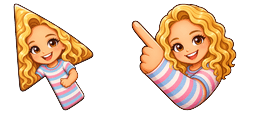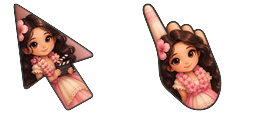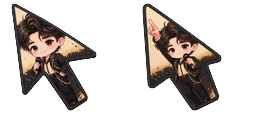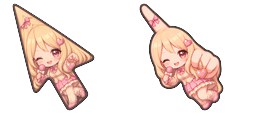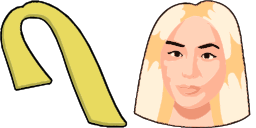
Anteprima cursore: Ava Max - 1 - cute-cursor.com

Pack di cursori

Ava Max

CelebritiesAggiunto 48 volte

Browse with Ava Max - a Chrome cursor featuring music artist pointer and stage hover. Music artist fan art.

Aggiungi all'Estensione

The Ava Max cursor from Basic cursors Cursor Collection is a fun and eye-catching addition to any browser. Inspired by the pop star's signature look, the cursor features a red heart with Max's initials inside. It's perfect for fans of Ava Max or anyone who wants to add a bit of personality to their browsing experience. With its bold design and easy installation, this cursor is sure to be a hit. So why not give your cursor a makeover today and download the Ava Max cursor from Basic cursors Cursor Collection?

File del cursore

Scarica il file o copia il codice CSS, JavaScript, React e Roblox pronto all'uso con l'hotspot corretto.

Cursore - 1 - cute-cursor.com

Cursore

Scarica il file o copia il codice di incorporamento per il tuo sito web, React, JavaScript o Roblox.

Incolla questo CSS nel tuo foglio di stile. Le coordinate dell'hotspot sono già incluse.

.custom-cursor {
  cursor: url('https://cute-cursor.com/cdn/packs/10661/arrow.png') 8 3, auto;
}

Incolla questo JavaScript per applicare il cursore con l'hotspot corretto.

const CURSOR_URL = 'https://cute-cursor.com/cdn/packs/10661/arrow.png';
const HOTSPOT_X = 8;
const HOTSPOT_Y = 3;
const CURSOR_FALLBACK = 'auto';

const cursorValue = `url('${CURSOR_URL}') ${HOTSPOT_X} ${HOTSPOT_Y}, ${CURSOR_FALLBACK}`;

// Apply to the whole page
document.body.style.cursor = cursorValue;

// Or apply to a specific element
// const target = document.querySelector('.my-element');
// if (target) target.style.cursor = cursorValue;

Copia questo componente React e avvolgi il tuo contenuto con esso.

import React from 'react';

const CURSOR_URL = 'https://cute-cursor.com/cdn/packs/10661/arrow.png';
const HOTSPOT_X = 8;
const HOTSPOT_Y = 3;
const CURSOR_FALLBACK = 'auto';

export default function CustomCursor({ children, className = '', as: Tag = 'div', style = {}, ...props }) {
  const cursorStyle = {
    cursor: `url('${CURSOR_URL}') ${HOTSPOT_X} ${HOTSPOT_Y}, ${CURSOR_FALLBACK}`,
    ...style,
  };

  return (
    <Tag className={className} style={cursorStyle} {...props}>
      {children}
    </Tag>
  );
}

// Usage:
// <CustomCursor>Your content</CustomCursor>

Carica l'immagine su Roblox, sostituisci YOUR_ASSET_ID, quindi incolla questo LocalScript.

-- Roblox custom cursor
-- Image URL: https://cute-cursor.com/cdn/packs/10661/arrow.png
-- Hotspot: 8, 3
-- Size: 128x128
-- 1. Upload the image to Roblox and copy rbxassetid
-- 2. Replace YOUR_ASSET_ID below
-- 3. Put this LocalScript in StarterPlayer > StarterPlayerScripts

local UserInputService = game:GetService("UserInputService")
local RunService = game:GetService("RunService")
local Players = game:GetService("Players")

local player = Players.LocalPlayer
local playerGui = player:WaitForChild("PlayerGui")

local HOTSPOT_X = 8
local HOTSPOT_Y = 3
local CURSOR_WIDTH = 128
local CURSOR_HEIGHT = 128

local screenGui = Instance.new("ScreenGui")
screenGui.Name = "CustomCursorGui"
screenGui.ResetOnSpawn = false
screenGui.IgnoreGuiInset = true
screenGui.DisplayOrder = 999999
screenGui.Parent = playerGui

local cursor = Instance.new("ImageLabel")
cursor.Name = "CustomCursor"
cursor.BackgroundTransparency = 1
cursor.Size = UDim2.fromOffset(CURSOR_WIDTH, CURSOR_HEIGHT)
cursor.Image = "rbxassetid://YOUR_ASSET_ID"
cursor.ZIndex = 999999
cursor.Parent = screenGui

UserInputService.MouseIconEnabled = false

RunService.RenderStepped:Connect(function()
    local mouseLocation = UserInputService:GetMouseLocation()
    cursor.Position = UDim2.fromOffset(mouseLocation.X - HOTSPOT_X, mouseLocation.Y - HOTSPOT_Y)
end)
Puntatore - 2 - cute-cursor.com

Puntatore

Scarica il file o copia il codice di incorporamento per il tuo sito web, React, JavaScript o Roblox.

Incolla questo CSS nel tuo foglio di stile. Le coordinate dell'hotspot sono già incluse.

.custom-pointer {
  cursor: url('https://cute-cursor.com/cdn/packs/10661/hand.png') 33 0, pointer;
}

Incolla questo JavaScript per applicare il cursore con l'hotspot corretto.

const CURSOR_URL = 'https://cute-cursor.com/cdn/packs/10661/hand.png';
const HOTSPOT_X = 33;
const HOTSPOT_Y = 0;
const CURSOR_FALLBACK = 'pointer';

const cursorValue = `url('${CURSOR_URL}') ${HOTSPOT_X} ${HOTSPOT_Y}, ${CURSOR_FALLBACK}`;

// Apply to the whole page
document.body.style.cursor = cursorValue;

// Or apply to a specific element
// const target = document.querySelector('.my-element');
// if (target) target.style.cursor = cursorValue;

Copia questo componente React e avvolgi il tuo contenuto con esso.

import React from 'react';

const CURSOR_URL = 'https://cute-cursor.com/cdn/packs/10661/hand.png';
const HOTSPOT_X = 33;
const HOTSPOT_Y = 0;
const CURSOR_FALLBACK = 'pointer';

export default function CustomPointer({ children, className = '', as: Tag = 'div', style = {}, ...props }) {
  const cursorStyle = {
    cursor: `url('${CURSOR_URL}') ${HOTSPOT_X} ${HOTSPOT_Y}, ${CURSOR_FALLBACK}`,
    ...style,
  };

  return (
    <Tag className={className} style={cursorStyle} {...props}>
      {children}
    </Tag>
  );
}

// Usage:
// <CustomPointer>Your content</CustomPointer>

Carica l'immagine su Roblox, sostituisci YOUR_ASSET_ID, quindi incolla questo LocalScript.

-- Roblox custom cursor
-- Image URL: https://cute-cursor.com/cdn/packs/10661/hand.png
-- Hotspot: 33, 0
-- Size: 128x128
-- 1. Upload the image to Roblox and copy rbxassetid
-- 2. Replace YOUR_ASSET_ID below
-- 3. Put this LocalScript in StarterPlayer > StarterPlayerScripts

local UserInputService = game:GetService("UserInputService")
local RunService = game:GetService("RunService")
local Players = game:GetService("Players")

local player = Players.LocalPlayer
local playerGui = player:WaitForChild("PlayerGui")

local HOTSPOT_X = 33
local HOTSPOT_Y = 0
local CURSOR_WIDTH = 128
local CURSOR_HEIGHT = 128

local screenGui = Instance.new("ScreenGui")
screenGui.Name = "CustomCursorGui"
screenGui.ResetOnSpawn = false
screenGui.IgnoreGuiInset = true
screenGui.DisplayOrder = 999999
screenGui.Parent = playerGui

local cursor = Instance.new("ImageLabel")
cursor.Name = "CustomCursor"
cursor.BackgroundTransparency = 1
cursor.Size = UDim2.fromOffset(CURSOR_WIDTH, CURSOR_HEIGHT)
cursor.Image = "rbxassetid://YOUR_ASSET_ID"
cursor.ZIndex = 999999
cursor.Parent = screenGui

UserInputService.MouseIconEnabled = false

RunService.RenderStepped:Connect(function()
    local mouseLocation = UserInputService:GetMouseLocation()
    cursor.Position = UDim2.fromOffset(mouseLocation.X - HOTSPOT_X, mouseLocation.Y - HOTSPOT_Y)
end)
100% Gratis

Ottieni l'estensione Cursor Changer

Gratis per Chrome. Installa una volta, poi clicca su Aggiungi sul cursore che preferisci.

Installa su Chrome