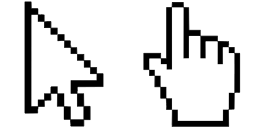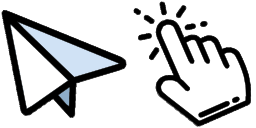
Pré-visualização do cursor: TikTok - 1 - cute-cursor.com

Pacote de cursor

TikTok

Apps & Social MediaAdicionado 444 vezes

TikTok cursor for Chrome - internet culture pointer with creator hover hand. Social media fan art.

Adicionar à Extensão

Basic Cursors' Cursor Collection now includes a TikTok cursor for your browser! Easily navigate through your favorite videos and trends with this fun cursor, designed to bring the playful spirit of TikTok into your browsing experience. Available for download now, the TikTok cursor joins a wide range of other fun and functional cursors in the Basic Cursors collection. Whether you're looking for a new way to express yourself online or just want to add some personality to your browsing, the TikTok cursor is a great choice.


Arquivos do cursor

Baixe o arquivo ou copie o código CSS, JavaScript, React e Roblox pronto para usar, com o hotspot correto.

Cursor - 1 - cute-cursor.com

Cursor

Baixe o arquivo ou copie o código de incorporação para o seu site, React, JavaScript ou Roblox.

Cole este CSS na sua folha de estilos. As coordenadas do hotspot já estão incluídas.

.custom-cursor {
  cursor: url('https://cute-cursor.com/cdn/packs/10755/arrow.png') 2 3, auto;
}

Cole este JavaScript para aplicar o cursor com o hotspot correto.

const CURSOR_URL = 'https://cute-cursor.com/cdn/packs/10755/arrow.png';
const HOTSPOT_X = 2;
const HOTSPOT_Y = 3;
const CURSOR_FALLBACK = 'auto';

const cursorValue = `url('${CURSOR_URL}') ${HOTSPOT_X} ${HOTSPOT_Y}, ${CURSOR_FALLBACK}`;

// Apply to the whole page
document.body.style.cursor = cursorValue;

// Or apply to a specific element
// const target = document.querySelector('.my-element');
// if (target) target.style.cursor = cursorValue;

Copie este componente React e envolva seu conteúdo com ele.

import React from 'react';

const CURSOR_URL = 'https://cute-cursor.com/cdn/packs/10755/arrow.png';
const HOTSPOT_X = 2;
const HOTSPOT_Y = 3;
const CURSOR_FALLBACK = 'auto';

export default function CustomCursor({ children, className = '', as: Tag = 'div', style = {}, ...props }) {
  const cursorStyle = {
    cursor: `url('${CURSOR_URL}') ${HOTSPOT_X} ${HOTSPOT_Y}, ${CURSOR_FALLBACK}`,
    ...style,
  };

  return (
    <Tag className={className} style={cursorStyle} {...props}>
      {children}
    </Tag>
  );
}

// Usage:
// <CustomCursor>Your content</CustomCursor>

Envie a imagem para o Roblox, substitua YOUR_ASSET_ID e cole este LocalScript.

-- Roblox custom cursor
-- Image URL: https://cute-cursor.com/cdn/packs/10755/arrow.png
-- Hotspot: 2, 3
-- Size: 128x128
-- 1. Upload the image to Roblox and copy rbxassetid
-- 2. Replace YOUR_ASSET_ID below
-- 3. Put this LocalScript in StarterPlayer > StarterPlayerScripts

local UserInputService = game:GetService("UserInputService")
local RunService = game:GetService("RunService")
local Players = game:GetService("Players")

local player = Players.LocalPlayer
local playerGui = player:WaitForChild("PlayerGui")

local HOTSPOT_X = 2
local HOTSPOT_Y = 3
local CURSOR_WIDTH = 128
local CURSOR_HEIGHT = 128

local screenGui = Instance.new("ScreenGui")
screenGui.Name = "CustomCursorGui"
screenGui.ResetOnSpawn = false
screenGui.IgnoreGuiInset = true
screenGui.DisplayOrder = 999999
screenGui.Parent = playerGui

local cursor = Instance.new("ImageLabel")
cursor.Name = "CustomCursor"
cursor.BackgroundTransparency = 1
cursor.Size = UDim2.fromOffset(CURSOR_WIDTH, CURSOR_HEIGHT)
cursor.Image = "rbxassetid://YOUR_ASSET_ID"
cursor.ZIndex = 999999
cursor.Parent = screenGui

UserInputService.MouseIconEnabled = false

RunService.RenderStepped:Connect(function()
    local mouseLocation = UserInputService:GetMouseLocation()
    cursor.Position = UDim2.fromOffset(mouseLocation.X - HOTSPOT_X, mouseLocation.Y - HOTSPOT_Y)
end)
Ponteiro - 2 - cute-cursor.com

Ponteiro

Baixe o arquivo ou copie o código de incorporação para o seu site, React, JavaScript ou Roblox.

Cole este CSS na sua folha de estilos. As coordenadas do hotspot já estão incluídas.

.custom-pointer {
  cursor: url('https://cute-cursor.com/cdn/packs/10755/hand.png') 31 0, pointer;
}

Cole este JavaScript para aplicar o cursor com o hotspot correto.

const CURSOR_URL = 'https://cute-cursor.com/cdn/packs/10755/hand.png';
const HOTSPOT_X = 31;
const HOTSPOT_Y = 0;
const CURSOR_FALLBACK = 'pointer';

const cursorValue = `url('${CURSOR_URL}') ${HOTSPOT_X} ${HOTSPOT_Y}, ${CURSOR_FALLBACK}`;

// Apply to the whole page
document.body.style.cursor = cursorValue;

// Or apply to a specific element
// const target = document.querySelector('.my-element');
// if (target) target.style.cursor = cursorValue;

Copie este componente React e envolva seu conteúdo com ele.

import React from 'react';

const CURSOR_URL = 'https://cute-cursor.com/cdn/packs/10755/hand.png';
const HOTSPOT_X = 31;
const HOTSPOT_Y = 0;
const CURSOR_FALLBACK = 'pointer';

export default function CustomPointer({ children, className = '', as: Tag = 'div', style = {}, ...props }) {
  const cursorStyle = {
    cursor: `url('${CURSOR_URL}') ${HOTSPOT_X} ${HOTSPOT_Y}, ${CURSOR_FALLBACK}`,
    ...style,
  };

  return (
    <Tag className={className} style={cursorStyle} {...props}>
      {children}
    </Tag>
  );
}

// Usage:
// <CustomPointer>Your content</CustomPointer>

Envie a imagem para o Roblox, substitua YOUR_ASSET_ID e cole este LocalScript.

-- Roblox custom cursor
-- Image URL: https://cute-cursor.com/cdn/packs/10755/hand.png
-- Hotspot: 31, 0
-- Size: 128x128
-- 1. Upload the image to Roblox and copy rbxassetid
-- 2. Replace YOUR_ASSET_ID below
-- 3. Put this LocalScript in StarterPlayer > StarterPlayerScripts

local UserInputService = game:GetService("UserInputService")
local RunService = game:GetService("RunService")
local Players = game:GetService("Players")

local player = Players.LocalPlayer
local playerGui = player:WaitForChild("PlayerGui")

local HOTSPOT_X = 31
local HOTSPOT_Y = 0
local CURSOR_WIDTH = 128
local CURSOR_HEIGHT = 128

local screenGui = Instance.new("ScreenGui")
screenGui.Name = "CustomCursorGui"
screenGui.ResetOnSpawn = false
screenGui.IgnoreGuiInset = true
screenGui.DisplayOrder = 999999
screenGui.Parent = playerGui

local cursor = Instance.new("ImageLabel")
cursor.Name = "CustomCursor"
cursor.BackgroundTransparency = 1
cursor.Size = UDim2.fromOffset(CURSOR_WIDTH, CURSOR_HEIGHT)
cursor.Image = "rbxassetid://YOUR_ASSET_ID"
cursor.ZIndex = 999999
cursor.Parent = screenGui

UserInputService.MouseIconEnabled = false

RunService.RenderStepped:Connect(function()
    local mouseLocation = UserInputService:GetMouseLocation()
    cursor.Position = UDim2.fromOffset(mouseLocation.X - HOTSPOT_X, mouseLocation.Y - HOTSPOT_Y)
end)
100% Grátis

Obtenha a extensão Cursor Changer

Gratuito para o Chrome. Instale uma vez e depois clique em Adicionar em qualquer cursor que você gostar.

Instalar no Chrome