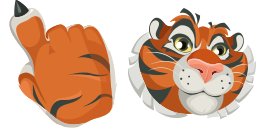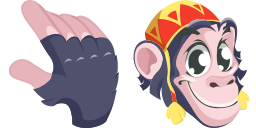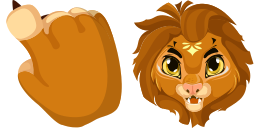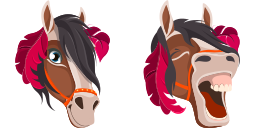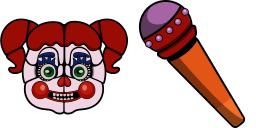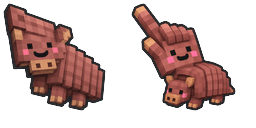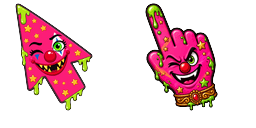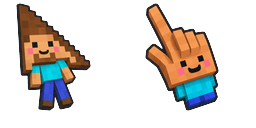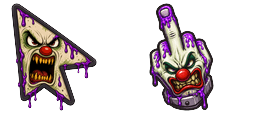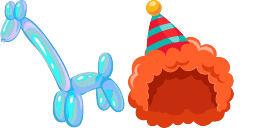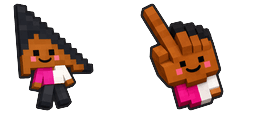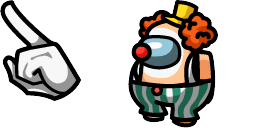
Pratinjau kursor: Pink Clown Pal - 1 - cute-cursor.com

Paket kursor

Pink Clown Pal

CircusDitambahkan 1 kali

Pink Clown Pal custom cursor remix with matching palette and a unique character mascot pointer.

Tambahkan ke Ekstensi

Pink Clown Pal Custom Cursor Pack
Pink Clown Pal is a fan-art custom cursor remix inspired by the Clown pack, keeping the same color family and rendering style with a slightly cuter pose.

The hover pointer is a unique character-forward mascot from this pack's world posing as the pointer with a clear tip hotspot — not a generic glove. Use it in Chrome or Edge on Windows 10/11 as a crisp 128-pixel cute cursor.

This pack is unofficial fan-made art and is not affiliated with or endorsed by the original rights holders.

Browse more in the Circus collection, or open Pink Clown Pal.

File kursor

Unduh file atau salin kode CSS, JavaScript, React, dan Roblox siap pakai dengan hotspot yang tepat.

Kursor - 1 - cute-cursor.com

Kursor

Unduh file atau salin kode sematan untuk situs web, React, JavaScript, atau Roblox Anda.

Tempel CSS ini ke dalam stylesheet Anda. Koordinat hotspot sudah termasuk.

.custom-cursor {
  cursor: url('https://cute-cursor.com/cdn/packs/146738/arrow.png') 20 5, auto;
}

Tempel JavaScript ini untuk menerapkan kursor dengan hotspot yang tepat.

const CURSOR_URL = 'https://cute-cursor.com/cdn/packs/146738/arrow.png';
const HOTSPOT_X = 20;
const HOTSPOT_Y = 5;
const CURSOR_FALLBACK = 'auto';

const cursorValue = `url('${CURSOR_URL}') ${HOTSPOT_X} ${HOTSPOT_Y}, ${CURSOR_FALLBACK}`;

// Apply to the whole page
document.body.style.cursor = cursorValue;

// Or apply to a specific element
// const target = document.querySelector('.my-element');
// if (target) target.style.cursor = cursorValue;

Salin komponen React ini dan bungkus konten Anda dengannya.

import React from 'react';

const CURSOR_URL = 'https://cute-cursor.com/cdn/packs/146738/arrow.png';
const HOTSPOT_X = 20;
const HOTSPOT_Y = 5;
const CURSOR_FALLBACK = 'auto';

export default function CustomCursor({ children, className = '', as: Tag = 'div', style = {}, ...props }) {
  const cursorStyle = {
    cursor: `url('${CURSOR_URL}') ${HOTSPOT_X} ${HOTSPOT_Y}, ${CURSOR_FALLBACK}`,
    ...style,
  };

  return (
    <Tag className={className} style={cursorStyle} {...props}>
      {children}
    </Tag>
  );
}

// Usage:
// <CustomCursor>Your content</CustomCursor>

Unggah gambar ke Roblox, ganti YOUR_ASSET_ID, lalu tempel LocalScript ini.

-- Roblox custom cursor
-- Image URL: https://cute-cursor.com/cdn/packs/146738/arrow.png
-- Hotspot: 20, 5
-- Size: 128x128
-- 1. Upload the image to Roblox and copy rbxassetid
-- 2. Replace YOUR_ASSET_ID below
-- 3. Put this LocalScript in StarterPlayer > StarterPlayerScripts

local UserInputService = game:GetService("UserInputService")
local RunService = game:GetService("RunService")
local Players = game:GetService("Players")

local player = Players.LocalPlayer
local playerGui = player:WaitForChild("PlayerGui")

local HOTSPOT_X = 20
local HOTSPOT_Y = 5
local CURSOR_WIDTH = 128
local CURSOR_HEIGHT = 128

local screenGui = Instance.new("ScreenGui")
screenGui.Name = "CustomCursorGui"
screenGui.ResetOnSpawn = false
screenGui.IgnoreGuiInset = true
screenGui.DisplayOrder = 999999
screenGui.Parent = playerGui

local cursor = Instance.new("ImageLabel")
cursor.Name = "CustomCursor"
cursor.BackgroundTransparency = 1
cursor.Size = UDim2.fromOffset(CURSOR_WIDTH, CURSOR_HEIGHT)
cursor.Image = "rbxassetid://YOUR_ASSET_ID"
cursor.ZIndex = 999999
cursor.Parent = screenGui

UserInputService.MouseIconEnabled = false

RunService.RenderStepped:Connect(function()
    local mouseLocation = UserInputService:GetMouseLocation()
    cursor.Position = UDim2.fromOffset(mouseLocation.X - HOTSPOT_X, mouseLocation.Y - HOTSPOT_Y)
end)
Pointer - 2 - cute-cursor.com

Pointer

Unduh file atau salin kode sematan untuk situs web, React, JavaScript, atau Roblox Anda.

Tempel CSS ini ke dalam stylesheet Anda. Koordinat hotspot sudah termasuk.

.custom-pointer {
  cursor: url('https://cute-cursor.com/cdn/packs/146738/hand.png') 43 15, pointer;
}

Tempel JavaScript ini untuk menerapkan kursor dengan hotspot yang tepat.

const CURSOR_URL = 'https://cute-cursor.com/cdn/packs/146738/hand.png';
const HOTSPOT_X = 43;
const HOTSPOT_Y = 15;
const CURSOR_FALLBACK = 'pointer';

const cursorValue = `url('${CURSOR_URL}') ${HOTSPOT_X} ${HOTSPOT_Y}, ${CURSOR_FALLBACK}`;

// Apply to the whole page
document.body.style.cursor = cursorValue;

// Or apply to a specific element
// const target = document.querySelector('.my-element');
// if (target) target.style.cursor = cursorValue;

Salin komponen React ini dan bungkus konten Anda dengannya.

import React from 'react';

const CURSOR_URL = 'https://cute-cursor.com/cdn/packs/146738/hand.png';
const HOTSPOT_X = 43;
const HOTSPOT_Y = 15;
const CURSOR_FALLBACK = 'pointer';

export default function CustomPointer({ children, className = '', as: Tag = 'div', style = {}, ...props }) {
  const cursorStyle = {
    cursor: `url('${CURSOR_URL}') ${HOTSPOT_X} ${HOTSPOT_Y}, ${CURSOR_FALLBACK}`,
    ...style,
  };

  return (
    <Tag className={className} style={cursorStyle} {...props}>
      {children}
    </Tag>
  );
}

// Usage:
// <CustomPointer>Your content</CustomPointer>

Unggah gambar ke Roblox, ganti YOUR_ASSET_ID, lalu tempel LocalScript ini.

-- Roblox custom cursor
-- Image URL: https://cute-cursor.com/cdn/packs/146738/hand.png
-- Hotspot: 43, 15
-- Size: 128x128
-- 1. Upload the image to Roblox and copy rbxassetid
-- 2. Replace YOUR_ASSET_ID below
-- 3. Put this LocalScript in StarterPlayer > StarterPlayerScripts

local UserInputService = game:GetService("UserInputService")
local RunService = game:GetService("RunService")
local Players = game:GetService("Players")

local player = Players.LocalPlayer
local playerGui = player:WaitForChild("PlayerGui")

local HOTSPOT_X = 43
local HOTSPOT_Y = 15
local CURSOR_WIDTH = 128
local CURSOR_HEIGHT = 128

local screenGui = Instance.new("ScreenGui")
screenGui.Name = "CustomCursorGui"
screenGui.ResetOnSpawn = false
screenGui.IgnoreGuiInset = true
screenGui.DisplayOrder = 999999
screenGui.Parent = playerGui

local cursor = Instance.new("ImageLabel")
cursor.Name = "CustomCursor"
cursor.BackgroundTransparency = 1
cursor.Size = UDim2.fromOffset(CURSOR_WIDTH, CURSOR_HEIGHT)
cursor.Image = "rbxassetid://YOUR_ASSET_ID"
cursor.ZIndex = 999999
cursor.Parent = screenGui

UserInputService.MouseIconEnabled = false

RunService.RenderStepped:Connect(function()
    local mouseLocation = UserInputService:GetMouseLocation()
    cursor.Position = UDim2.fromOffset(mouseLocation.X - HOTSPOT_X, mouseLocation.Y - HOTSPOT_Y)
end)
100% Gratis

Dapatkan ekstensi Cursor Changer

Gratis untuk Chrome. Pasang sekali, lalu klik Tambah pada kursor mana pun yang Anda sukai.

Pasang ke Chrome