Pack de cursores
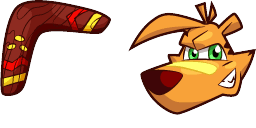
TY Tiger cursor
TY Tiger custom cursor - a cute themed pointer for your desktop.
Añadir a la extensión
Pack de cursores
TY Tiger custom cursor - a cute themed pointer for your desktop.
Meet the TY Tiger custom cursor on cute-cursor.com - a themed pointer built for fans of Indie & Strategy. The arrow keeps the character readable at cursor size; the hand pointer is a matching hover pose for clicks and links.
TY Tiger leans into the look and personality of its subject: clear silhouette, friendly detailing, and colors that stay sharp on light or dark desktops. TY Tiger floats ty tiger gaming pointer and click art with video game flair across your custom cursor pointer and click pair with esports stream mood. The hero weapon pair fits FPS ranked tabs and loadout screens. Get th Motifs include Game, Game Cursors, Tiger. Searchers looking for a ty tiger cursors will recognize the theme instantly.
Use the arrow for everyday browsing and switch to the pointer when you hover buttons or interactive UI. Works in Chrome and Edge on Windows 10/11. Fan-made art for personal use on cute-cursor.com - not an official product and not affiliated with any third-party cursor store.
Download the TY Tiger cute cursor pack when you want a playful desktop that matches the Indie & Strategy category vibe without cluttering your taskbar.
Fun Fact: TY Tiger floats ty tiger gaming pointer and click art with video game flair across your custom cursor pointer and click pair with esports stream mood.
¡Añadido correctamente!
Gracias por usar Cursors for Browser