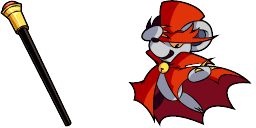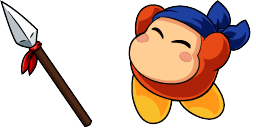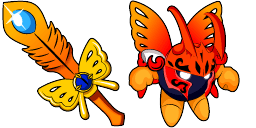
Aperçu du curseur : Marx - 1 - cute-cursor.com

Pack de curseurs

Marx

KirbyAdded 87 times

The Marx cursor from the Games Cursor Collection is perfect for fans of the classic arcade game. Made with high-quality graphics, this cursor features the iconic character jumping and shooting, adding...

Ajouter à l'extension

The Marx cursor from the Games Cursor Collection is perfect for fans of the classic arcade game. Made with high-quality graphics, this cursor features the iconic character jumping and shooting, adding a retro touch to your browsing experience. With its smooth animation and easy-to-use interface, this cursor is a great addition to any gamer's arsenal. So why not download the Marx cursor today and relive some of your favorite childhood memories as you surf the web?

Fichiers curseur

Téléchargez le fichier ou copiez le CSS et le code Roblox prêts à l'emploi avec le bon hotspot.

Curseur - 1 - cute-cursor.com

Curseur

Téléchargez le fichier ou copiez le code pour votre site ou Roblox.

Télécharger le curseur pour Roblox

Collez ce CSS dans votre feuille de style. Les coordonnées du hotspot sont déjà incluses.

.custom-cursor {
  cursor: url('https://cute-cursor.com/cdn/packs/10684/arrow.svg') 0 0, auto;
}

Importez l'image dans Roblox, remplacez YOUR_ASSET_ID, puis collez ce LocalScript.

-- Roblox custom cursor
-- Image URL: https://cute-cursor.com/cdn/packs/10684/arrow.svg
-- Hotspot: 0, 0
-- Size: 128x128
-- 1. Upload the image to Roblox and copy rbxassetid
-- 2. Replace YOUR_ASSET_ID below
-- 3. Put this LocalScript in StarterPlayer > StarterPlayerScripts

local UserInputService = game:GetService("UserInputService")
local RunService = game:GetService("RunService")
local Players = game:GetService("Players")

local player = Players.LocalPlayer
local playerGui = player:WaitForChild("PlayerGui")

local HOTSPOT_X = 0
local HOTSPOT_Y = 0
local CURSOR_WIDTH = 128
local CURSOR_HEIGHT = 128

local screenGui = Instance.new("ScreenGui")
screenGui.Name = "CustomCursorGui"
screenGui.ResetOnSpawn = false
screenGui.IgnoreGuiInset = true
screenGui.DisplayOrder = 999999
screenGui.Parent = playerGui

local cursor = Instance.new("ImageLabel")
cursor.Name = "CustomCursor"
cursor.BackgroundTransparency = 1
cursor.Size = UDim2.fromOffset(CURSOR_WIDTH, CURSOR_HEIGHT)
cursor.Image = "rbxassetid://YOUR_ASSET_ID"
cursor.ZIndex = 999999
cursor.Parent = screenGui

UserInputService.MouseIconEnabled = false

RunService.RenderStepped:Connect(function()
    local mouseLocation = UserInputService:GetMouseLocation()
    cursor.Position = UDim2.fromOffset(mouseLocation.X - HOTSPOT_X, mouseLocation.Y - HOTSPOT_Y)
end)
Pointeur - 2 - cute-cursor.com

Pointeur

Téléchargez le fichier ou copiez le code pour votre site ou Roblox.

Télécharger le pointeur pour Roblox

Collez ce CSS dans votre feuille de style. Les coordonnées du hotspot sont déjà incluses.

.custom-pointer {
  cursor: url('https://cute-cursor.com/cdn/packs/10684/hand.svg') 31 1, pointer;
}

Importez l'image dans Roblox, remplacez YOUR_ASSET_ID, puis collez ce LocalScript.

-- Roblox custom cursor
-- Image URL: https://cute-cursor.com/cdn/packs/10684/hand.svg
-- Hotspot: 31, 1
-- Size: 128x128
-- 1. Upload the image to Roblox and copy rbxassetid
-- 2. Replace YOUR_ASSET_ID below
-- 3. Put this LocalScript in StarterPlayer > StarterPlayerScripts

local UserInputService = game:GetService("UserInputService")
local RunService = game:GetService("RunService")
local Players = game:GetService("Players")

local player = Players.LocalPlayer
local playerGui = player:WaitForChild("PlayerGui")

local HOTSPOT_X = 31
local HOTSPOT_Y = 1
local CURSOR_WIDTH = 128
local CURSOR_HEIGHT = 128

local screenGui = Instance.new("ScreenGui")
screenGui.Name = "CustomCursorGui"
screenGui.ResetOnSpawn = false
screenGui.IgnoreGuiInset = true
screenGui.DisplayOrder = 999999
screenGui.Parent = playerGui

local cursor = Instance.new("ImageLabel")
cursor.Name = "CustomCursor"
cursor.BackgroundTransparency = 1
cursor.Size = UDim2.fromOffset(CURSOR_WIDTH, CURSOR_HEIGHT)
cursor.Image = "rbxassetid://YOUR_ASSET_ID"
cursor.ZIndex = 999999
cursor.Parent = screenGui

UserInputService.MouseIconEnabled = false

RunService.RenderStepped:Connect(function()
    local mouseLocation = UserInputService:GetMouseLocation()
    cursor.Position = UDim2.fromOffset(mouseLocation.X - HOTSPOT_X, mouseLocation.Y - HOTSPOT_Y)
end)
100 % gratuit

Get the Cursor Changer extension

Gratuit sur Chrome. Installez l'extension, puis cliquez sur « Ajouter ».

Installer sur Chrome