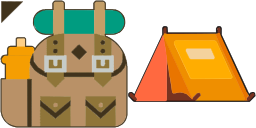
Превью курсора: Backpack and tent - 1 - cute-cursor.com

Набор курсоров

Backpack and tent

Outdoor & CampingУстановлено 88 раз

Backpack and tent cursor pack for Chrome - themed custom default pointer and matching hand hover. Chrome cursor fan art.

В расширение

The Basic Cursors Cursor Collection offers a variety of cursor options for browser customization. Among them are a backpack and tent cursor, perfect for outdoor enthusiasts or those who enjoy camping. These cursors add a unique touch to your browsing experience, allowing you to express your interests and personality in a fun and creative way. Simply download and install the Basic Cursors Cursor Collection to access these and other fun cursor options.

Файлы курсора

Скачайте файл или скопируйте готовый CSS и код для Roblox с правильным hotspot.

Курсор - 1 - cute-cursor.com

Курсор

Скачайте файл или скопируйте код для сайта, React, JavaScript или Roblox.

Вставьте этот CSS в стили. Координаты hotspot уже указаны.

.custom-cursor {
  cursor: url('https://cute-cursor.com/cdn/packs/10198/arrow.png') 1 1, auto;
}

Вставьте этот JavaScript, чтобы применить курсор с правильным hotspot.

const CURSOR_URL = 'https://cute-cursor.com/cdn/packs/10198/arrow.png';
const HOTSPOT_X = 1;
const HOTSPOT_Y = 1;
const CURSOR_FALLBACK = 'auto';

const cursorValue = `url('${CURSOR_URL}') ${HOTSPOT_X} ${HOTSPOT_Y}, ${CURSOR_FALLBACK}`;

// Apply to the whole page
document.body.style.cursor = cursorValue;

// Or apply to a specific element
// const target = document.querySelector('.my-element');
// if (target) target.style.cursor = cursorValue;

Скопируйте React-компонент и оберните им нужный контент.

import React from 'react';

const CURSOR_URL = 'https://cute-cursor.com/cdn/packs/10198/arrow.png';
const HOTSPOT_X = 1;
const HOTSPOT_Y = 1;
const CURSOR_FALLBACK = 'auto';

export default function CustomCursor({ children, className = '', as: Tag = 'div', style = {}, ...props }) {
  const cursorStyle = {
    cursor: `url('${CURSOR_URL}') ${HOTSPOT_X} ${HOTSPOT_Y}, ${CURSOR_FALLBACK}`,
    ...style,
  };

  return (
    <Tag className={className} style={cursorStyle} {...props}>
      {children}
    </Tag>
  );
}

// Usage:
// <CustomCursor>Your content</CustomCursor>

Загрузите изображение в Roblox, замените YOUR_ASSET_ID и вставьте LocalScript.

-- Roblox custom cursor
-- Image URL: https://cute-cursor.com/cdn/packs/10198/arrow.png
-- Hotspot: 1, 1
-- Size: 128x128
-- 1. Upload the image to Roblox and copy rbxassetid
-- 2. Replace YOUR_ASSET_ID below
-- 3. Put this LocalScript in StarterPlayer > StarterPlayerScripts

local UserInputService = game:GetService("UserInputService")
local RunService = game:GetService("RunService")
local Players = game:GetService("Players")

local player = Players.LocalPlayer
local playerGui = player:WaitForChild("PlayerGui")

local HOTSPOT_X = 1
local HOTSPOT_Y = 1
local CURSOR_WIDTH = 128
local CURSOR_HEIGHT = 128

local screenGui = Instance.new("ScreenGui")
screenGui.Name = "CustomCursorGui"
screenGui.ResetOnSpawn = false
screenGui.IgnoreGuiInset = true
screenGui.DisplayOrder = 999999
screenGui.Parent = playerGui

local cursor = Instance.new("ImageLabel")
cursor.Name = "CustomCursor"
cursor.BackgroundTransparency = 1
cursor.Size = UDim2.fromOffset(CURSOR_WIDTH, CURSOR_HEIGHT)
cursor.Image = "rbxassetid://YOUR_ASSET_ID"
cursor.ZIndex = 999999
cursor.Parent = screenGui

UserInputService.MouseIconEnabled = false

RunService.RenderStepped:Connect(function()
    local mouseLocation = UserInputService:GetMouseLocation()
    cursor.Position = UDim2.fromOffset(mouseLocation.X - HOTSPOT_X, mouseLocation.Y - HOTSPOT_Y)
end)
Указатель - 2 - cute-cursor.com

Указатель

Скачайте файл или скопируйте код для сайта, React, JavaScript или Roblox.

Вставьте этот CSS в стили. Координаты hotspot уже указаны.

.custom-pointer {
  cursor: url('https://cute-cursor.com/cdn/packs/10198/hand.png') 30 17, pointer;
}

Вставьте этот JavaScript, чтобы применить курсор с правильным hotspot.

const CURSOR_URL = 'https://cute-cursor.com/cdn/packs/10198/hand.png';
const HOTSPOT_X = 30;
const HOTSPOT_Y = 17;
const CURSOR_FALLBACK = 'pointer';

const cursorValue = `url('${CURSOR_URL}') ${HOTSPOT_X} ${HOTSPOT_Y}, ${CURSOR_FALLBACK}`;

// Apply to the whole page
document.body.style.cursor = cursorValue;

// Or apply to a specific element
// const target = document.querySelector('.my-element');
// if (target) target.style.cursor = cursorValue;

Скопируйте React-компонент и оберните им нужный контент.

import React from 'react';

const CURSOR_URL = 'https://cute-cursor.com/cdn/packs/10198/hand.png';
const HOTSPOT_X = 30;
const HOTSPOT_Y = 17;
const CURSOR_FALLBACK = 'pointer';

export default function CustomPointer({ children, className = '', as: Tag = 'div', style = {}, ...props }) {
  const cursorStyle = {
    cursor: `url('${CURSOR_URL}') ${HOTSPOT_X} ${HOTSPOT_Y}, ${CURSOR_FALLBACK}`,
    ...style,
  };

  return (
    <Tag className={className} style={cursorStyle} {...props}>
      {children}
    </Tag>
  );
}

// Usage:
// <CustomPointer>Your content</CustomPointer>

Загрузите изображение в Roblox, замените YOUR_ASSET_ID и вставьте LocalScript.

-- Roblox custom cursor
-- Image URL: https://cute-cursor.com/cdn/packs/10198/hand.png
-- Hotspot: 30, 17
-- Size: 128x128
-- 1. Upload the image to Roblox and copy rbxassetid
-- 2. Replace YOUR_ASSET_ID below
-- 3. Put this LocalScript in StarterPlayer > StarterPlayerScripts

local UserInputService = game:GetService("UserInputService")
local RunService = game:GetService("RunService")
local Players = game:GetService("Players")

local player = Players.LocalPlayer
local playerGui = player:WaitForChild("PlayerGui")

local HOTSPOT_X = 30
local HOTSPOT_Y = 17
local CURSOR_WIDTH = 128
local CURSOR_HEIGHT = 128

local screenGui = Instance.new("ScreenGui")
screenGui.Name = "CustomCursorGui"
screenGui.ResetOnSpawn = false
screenGui.IgnoreGuiInset = true
screenGui.DisplayOrder = 999999
screenGui.Parent = playerGui

local cursor = Instance.new("ImageLabel")
cursor.Name = "CustomCursor"
cursor.BackgroundTransparency = 1
cursor.Size = UDim2.fromOffset(CURSOR_WIDTH, CURSOR_HEIGHT)
cursor.Image = "rbxassetid://YOUR_ASSET_ID"
cursor.ZIndex = 999999
cursor.Parent = screenGui

UserInputService.MouseIconEnabled = false

RunService.RenderStepped:Connect(function()
    local mouseLocation = UserInputService:GetMouseLocation()
    cursor.Position = UDim2.fromOffset(mouseLocation.X - HOTSPOT_X, mouseLocation.Y - HOTSPOT_Y)
end)
Бесплатно

Get the Cursor Changer extension

Бесплатно для Chrome. Установите расширение и нажимайте «Добавить» у любого курсора.

Установить в Chrome